

Ads for brands, SaaS founders and content creators. Animated video ads and banners for Meta, TikTok and Google Ads, made from your real product.
Add your website and GitHub repos once. cizle reads them, remembers them as markdown, notices what you ship, and suggests the next video or ad. 9 video ad formats for Meta, TikTok and Google Ads plus 2 static banner sets, for online shops, beauty and fashion, food, fitness, local businesses, apps, creators and SaaS; and 21 video types for founders, five animated styles (hand-drawn, clay, glass, isometric, ASCII), 52 ready formats and 43 Opus film styles, in landscape, portrait or square, made from your real product.
Runs on your machine. No database, no accounts. Drive it from the dashboard with OpenRouter (free models work), or from Claude Code on your own subscription with no API key at all.
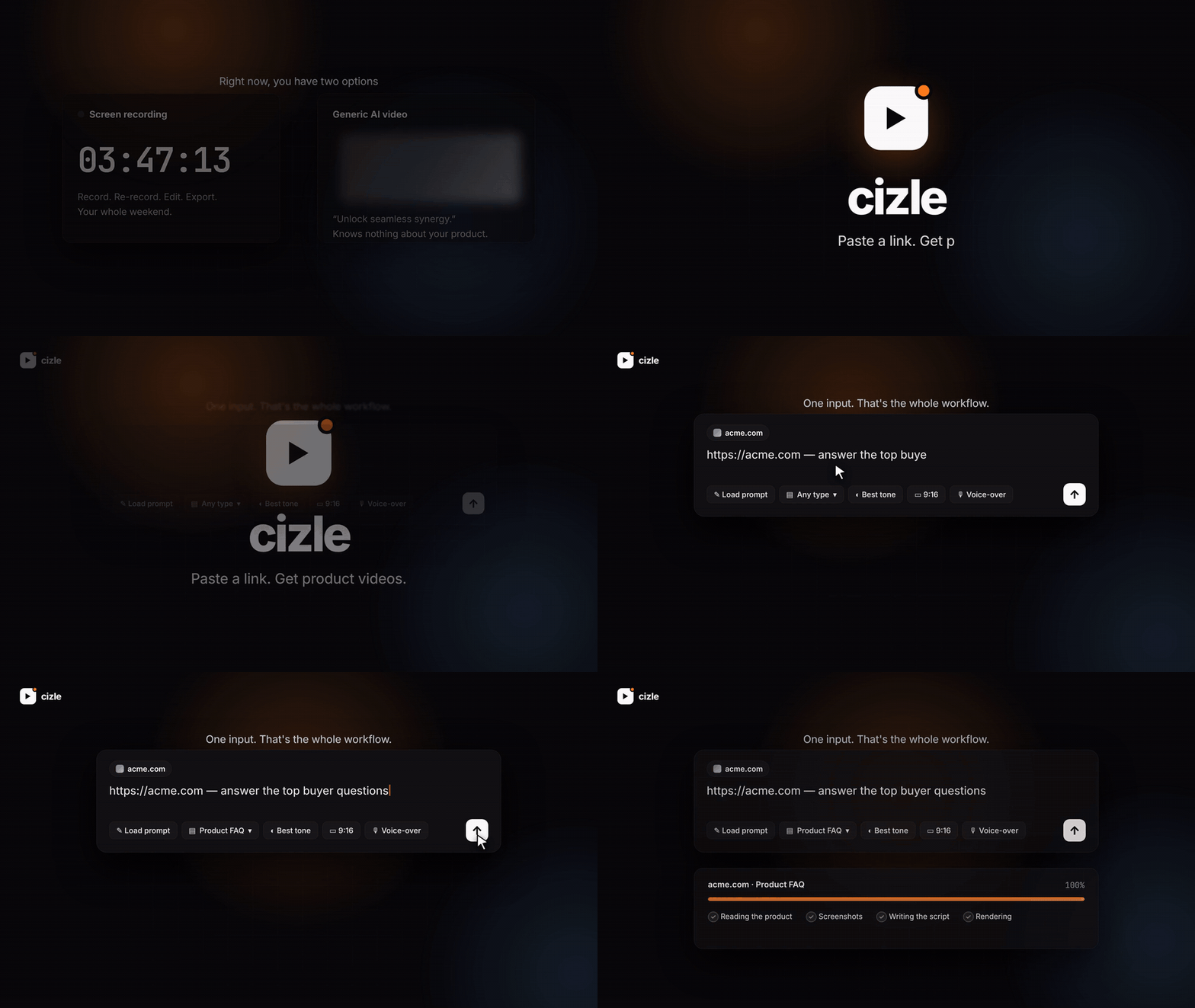
▶ Watch "cizle explained" (51 s, made with cizle) · ▶ Launch teaser (9:16) · ▶ 50-second demo with sound**
▶ Watch the 5-minute walkthrough · captions (.srt) (recorded early on: it predates animated styles, the review card, the founder types and Claude Code, all described below)
| Dashboard + OpenRouter | Claude Code, no key | |
|---|---|---|
| Who writes the video | A model on OpenRouter reads your site and writes the script | Claude, in your Claude Code session, writes the storyboard from your blog or code |
| You need | An OpenRouter key (free models work) | Claude Code, nothing else |
| Start from | The composer: paste a link, pick a prompt, answer the review card | Ask Claude, or a slash command like /mcp__cizle__make-code-walkthrough |
| cizle's part | Reads the product, calls the models, renders | Renders and stores (no model call at all) |
| Voice-over | Yes (paid text-to-speech) | Captions and music; voice if you add a key |
| Result | An MP4 (or banner PNGs) in your dashboard | An MP4 or banner PNGs in your dashboard, marked "Made with Claude Code", re-skinnable for free |
Both use the same prompt library, the same animated styles and the same dashboard. Set up the second in two lines: see Claude Code, no key.
- Why · Quick start · A tour of the dashboard · What you can do
- Product memory · Sync · Review before create · Animated styles · Gallery
- Free or paid models · Stop anything
- Video types and formats · The prompt library
- How it works · Cost · Use it from Claude Code, no key
- API · Configuration · Project layout · Security
- Contributing · Credits · License
Not only product videos: the prompt library has ad formats for every platform and brand kind. Each one is a markdown file in prompts/types/ (tagged ad: true) with the platform's length, aspect ratio and safe margins, a scene-by-scene structure, and a "By brand" section for online shops, beauty and fashion, food and drink, health and fitness, local services, apps and games, SaaS and dev tools, and creators and agencies.
| Platform | Video ads (3 each) | Static banners |
|---|---|---|
| Meta (Instagram, Facebook) | Reels hook ad (9:16) · feed offer ad (4:5) · problem and solution ad (4:5) | Feed and Stories image set: 4:5, 1:1, 9:16, 1.91:1 |
| TikTok | creator-style hook ad · offer drop · 3 reasons demo (all 9:16) | |
| Google Ads | 6-second bumper · 15-second YouTube ad · Shorts ad | Display set: 1200x628, 1200x1200, 300x250, 336x280, 728x90, 300x600, 160x600, 320x50 |
- Ads laws (
prompts/ads-laws.md) are added to every ad: a hook in two seconds, one offer, one action, readable with sound off, platform safe zones, and only claims the brand really made (no invented prices, discounts, reviews or before/after). - Static banners are rendered through the same prompt system: an ad type with
output: bannermakes the model (or Claude Code, with thecreate_bannerstool) write one to three copy variants, and cizle draws a PNG for each size in any of the six looks. Preview and download them on the video page. - 22 ad presets in the gallery (18 video, 4 banner). Filter by platform (Meta, TikTok, Google Ads) or brand kind. The dashboard has an "Ads for your brand" shelf.
- Ad specs change. The numbers in the ad types are a starting point taken from public platform guidance; check each platform's current ad specs before you spend money.
/mcp__cizle__make-meta-reels-hook https://yourshop.com
Use cizle to make Google display banners for https://yourshop.com, clay style.
Every launch needs videos: a showcase for the landing page, an FAQ for the pricing page, a comparison for the sales deck, a teaser for launch day. Screen recordings are slow, generic AI video does not know your product, and the product changes every week.
cizle reads your actual product (website, llms.txt, blog, FAQ, pricing and docs pages, GitHub repos), takes real screenshots, writes a script grounded in what it read, and renders the video. Every claim comes from your sources. Then it keeps watching: when you merge a PR or publish a page, it suggests the video that goes with it.
git clone https://github.com/shreyvijayvargiya/cizle.git
cd cizle
npm install
npm run dev
Open http://localhost:5173. You need Node 20.12+. Chrome (for screenshots and frames) is downloaded by puppeteer on install, and FFmpeg is bundled.
A. With OpenRouter (the dashboard writes the video)
- Settings → paste your OpenRouter key, or leave the Free model switch on for $0 runs.
- Sidebar → product menu → Add product. Paste your website and any GitHub repos.
- Press Create on one of the suggested videos, pick a prompt from the gallery, or describe your own in the composer. A card asks its questions, you approve, it renders.
B. With Claude Code (Claude writes the video, no key)
npm run mcp:install # once: adds cizle to Claude Code for every projectThen, in Claude Code, in any project: "Use cizle to make a 40-second sketch explainer of the latest blog post on my site. Explain the code using the main concept." The finished video appears in the dashboard. Details in Claude Code, no key.
To run the dashboard as a single server: npm run build && npm start, then open http://localhost:3737.
The dashboard also has a Docs page (/docs) with the full getting-started guide and everything below in more detail. It is rendered from web/src/content/guide.md, so you can edit it like any other file.
Dashboard. Pick who writes the video, add your product, and use the composer. Below it: prompts picked for your product and kind of founder, the prompt gallery (one animated tile per style, with counts), the Claude Code card (install command and a ready prompt), your latest videos and the ideas waiting.

Claude Code. The setup page: how it works, the install commands, example prompts filled in with your product, every slash command, the tools Claude gets, and the videos made this way.

Gallery. 52 formats. Start from a style tile, then filter by founder job, video type or category. Remix for my product opens the composer with everything filled in.

Prompts. The library: 21 video types, 5 tones, 43 Opus film styles and your own prompts, each with an animated preview. Everything is a markdown file.

A video. Player, script, assets and logs. Videos made from Claude Code also get a Re-skin menu (another style or aspect ratio, free) and a Prompt pack tab when the type has one.

| Claude Code, no key | Add the MCP server and Claude writes the storyboard from your blog or code on your own subscription; cizle renders it into your dashboard. No OpenRouter key. |
| Prompt gallery | 52 formats, 21 video types, 5 tones and 43 Opus film styles, each with an animated preview. Remix one for your product. |
| Animated styles | Hand-drawn, clay, glass, isometric and ASCII looks with real entrance animations, set by the tone or picked in the composer. |
| 21 video types | Seven for products (showcase, features, FAQ, comparison, glossary, launch, sketch explainer) and fourteen for founders (founder story, how it works, pricing, pitch teaser, code walkthrough and more). |
| Add a product | Website plus any number of GitHub repos. cizle writes products/<slug>/product.md and suggests three first videos and the prompts that fit your kind of founder. |
| Review before create | Press the arrow and an AI step checks for duplicates, asks the few questions that matter (audience, format, free or paid) and writes the final prompt. You approve, then it runs. |
| Sync | Finds new commits, releases and pages since last time, turns them into plain-language changes and video ideas. |
| Blog to sketch video | Paste an article link; the Sketch Explainer type renders a hand-drawn explainer video and returns a prompt pack for video models: hook, narration, storyboard, one prompt per scene, subtitles, sound notes, source facts. |
| Describe your own video | Composer with type, tone, style, aspect ratio, audio, length and 1–3 variations. Type / to load a saved prompt. |
| Re-skin for free | Videos made from a stored storyboard can be rendered again in another style or aspect ratio, with no model. |
| Switch products | Sidebar dropdown. Videos, composer and gallery follow the active product. |
| Use free models | A switch next to every generate button. Free OpenRouter models, $0, rate limited. |
| Stop anything | Every button that starts work turns into Stop while it runs. |
| Edit everything | Notes, prompts, ideas and settings are plain files you can open in any editor. |

cizle remembers each product as markdown in products/<slug>/ on your machine:
products/<slug>/
├── product.md     positioning, features, pricing, tone (edit it: every video reads it)
├── changes.md     what shipped since each sync, newest first
├── ideas.md       video ideas: suggested → created / dismissed
├── sources.json   sync state: last commit per repo, page hashes, seen releases
└── assets/        screenshots kept when the product was added
- Add a product from the sidebar menu. Give it a website, a GitHub repo, or both, plus any extra repos (
owner/app, owner/docs, owner/api). cizle reads the site,llms.txt, blog, pricing and docs pages and the first repo (cloned locally), reads the other repos' READMEs, and writes the notes with one model call. - Each fact in
product.mdcarries its source, for example*(site:/pricing)*or*(github:README)*. - The Product page shows ideas, changes, notes (with a markdown editor) and sources (name, website, repos). Fix anything that is wrong. The next video reads your correction.
- The folder is git-ignored except
products/example/, a committed reference. Your notes never land in the open-source repo. If you fork cizle for your own product you can commit them. - Set
CIZLE_PRODUCTS_DIRto keep the folder somewhere else.
Press Sync in the sidebar (or on the Product page). cizle also checks when it starts and every 6 hours while it runs (turn this off in Settings → Keep products fresh).
| Source | How it is read |
|---|---|
| GitHub repos | A shallow, blobless git fetch into a local cache, then git log since the last commit it saw. Releases come from the public releases.atom feed. No GitHub API and no token for public repos. |
| Private repos | Put GITHUB_TOKEN in .env. It is only used for the git fetch and is stripped from error messages. |
| Website | sitemap.xml (or homepage links) for new pages. Content hashes on the homepage, pricing, features, changelog and similar pages for changes. |
Merged PRs, releases and new pages are what count. Dependency bumps, CI changes, merge noise and bot commits are dropped before the model sees anything. If nothing changed, no model is called. Otherwise one call writes changes.md, adds new features to product.md, and adds up to four ideas to ideas.md, each naming its source.
The composer does not create anything on its own. Press the arrow and a card appears above the input, one step at a time, like Claude's question card. Every answer is a radio button or checkbox, never typed text:
- Prompt: the type, tone and your own prompts from the library, with the one the review picked already selected. Change any of them.
- Questions (up to three): who the video is for (checkboxes), which takeaway to lead with, format, length, free or paid. The review only asks what changes the result.
- Summary: the prompt, format and cost, a warning if no link was found or a video for this link already exists (with a link to it), and the final prompt it wrote. The prompt is read-only until you press Edit. Then Approve. Only Approve calls
POST /api/videos. Cancel and nothing happens.
It works with free models: the server gathers every fact itself (existing videos, a peek at the page, the prompt library) and the model answers in plain JSON, with no tool calling. The review step has no way to create a video or write a file, so a hostile web page cannot spend your credit.
Say "add this as a prompt …" and the card previews the markdown file instead; Save prompt writes it to prompts/custom/ and links to it.
Each review round and approval is appended to data/chats/<id>.jsonl (not shown in the dashboard yet). The review's persona and rules live in prompts/review.md. Edit them.
prompts/types/sketch-explainer.md has engine: article. Pick it, or paste an article link and let the review suggest it. The job reads the page, writes a storyboard, and renders it with the normal pipeline: paper background, hand-drawn boxes and arrows, narration, captions and music, as an MP4 on the usual video page. The Prompt pack tab holds the rest: hook, narration, storyboard, one video-generation prompt per scene (to feed a generative video model), transitions, subtitles, sound design, assembly steps and source facts. Every fact comes with a quote from the article; quotes that are not in the source are flagged. Copy the pack or download it as .md. If the video fails to render you still get the pack. Add your own article types the same way: a markdown file with engine: article.
Every video is drawn in one of six looks, and everything in it moves: items pop, slide or type in one after another, and the backdrop keeps drifting.
| Style | Look | Motion | Default for |
|---|---|---|---|
| Clean | Real UI, soft gradients | Camera pushes and pans | the Polished tone |
| Hand-drawn | Paper, wobbly ink, hand lettering | Boxes pop in, arrows and underlines are drawn | the Sketch Explainer type |
| Clay | Soft pastel blobs, puffy cards | Squash-and-stretch pops, drifting blobs | the Playful tone |
| Glass | Frosted cards over colour orbs | Blur-to-focus fades, drifting glow | the Cinematic tone |
| Isometric | Extruded slabs, floating cubes, grid floor | Cards slide in along the 30-degree axis, cubes bob | the App Store tone |
| ASCII | Phosphor terminal, double-line boxes, falling characters | Lines typed character by character, blinking cursor | the Deadpan tone |
Pick one with the Style button in the composer (or in the review card). From tone (the default) uses the style written in the tone file, so changing the tone changes the look. Styles apply to every scene type, including screenshots (shown inside a styled device frame). The browser captures the CSS animations frame by frame, so rendering a styled video adds roughly 30 to 90 seconds. If a scene fails to capture it falls back to a still with a camera move.
A tone or type sets its default style in its front matter:
---
name: Playful
kind: tone
style: clay
---Sidebar → Gallery. Thirty formats across the types, aspect ratios (landscape, portrait, square) and the six animated styles, filterable by category, style and founder kind. When you add a product, cizle also suggests the prompts that fit its category and your kind of founder (on the onboarding screen, the product page and the dashboard), one for each style. Switch the founder kind with the chips above the suggestions. Remix for my product opens the composer with that format's type, tone, aspect ratio and direction, and your product's website and repos filled in. Your own finished videos for the active product appear below.
The preview on each card is a small looping sample of its style (and the same previews appear on the Prompts page cards). Presets are plain JSON in gallery/presets/, so adding one is a pull request.
The Free model switch sits next to every generate button (composer, ideas, onboarding, sync). It is remembered between visits, and a brand-new install starts on free.
| Free | Paid | |
|---|---|---|
| Script, brief, review | best free text model OpenRouter lists | your Script model |
| Screenshot reading | best free vision model | your Vision model |
| Voice-over | not available: runs use music or silence | your Voice model |
| Cost shown | $0 | estimate before you run |
- The free list is fetched live from OpenRouter's model list (cached for an hour), so it never goes stale in the repo. Pin your own in Settings → Free script model / Free vision model, or leave them on
auto. - Free models are rate limited and a little less reliable with strict JSON. cizle retries and shows a clear message when a limit is hit, with the option to switch to paid.
- You still need an OpenRouter key for free models.
Every button that starts work shows Stop while it runs, in the same place as the generate button.
| Where | What Stop does |
|---|---|
| Composer, idea cards | Cancels the request. If the video was already queued it is stopped too. |
| Running video (detail page, list, dashboard Running now) | Cancels the job: model calls, downloads, git and FFmpeg processes are aborted and open browser pages closed. The video is marked Stopped. |
| Add product | Cancels the read. Nothing is saved. |
| Sync | Cancels the fetch and the model call. changes.md, ideas.md and sources.json are left untouched. |
| Review | Cancels the request. Nothing is created. |
| Settings → Test key | Cancels the check. |
Cancellation is built in: work that can be stopped runs inside a cancellable scope, and every network request, child process and browser page inside it listens for the stop. A model call that was already running may still be billed by your provider for tokens it generated before it stopped.
| Video type | What it does | Needs |
|---|---|---|
| Product showcase | A polished tour built around real screenshots | a URL |
| Feature highlights | Fast cuts, one feature per scene | a URL |
| Product FAQ | The top buyer questions, answered from your own FAQ and docs | an FAQ section, docs or llms.txt |
| Product comparison | Side-by-side table against competitors, using only facts on both sites | competitor URLs |
| Glossary explainer | Teaches the key terms in your space | docs or blog |
| Launch teaser | Big type, few words, strong CTA | a URL |
| Sketch Explainer | A hand-drawn explainer of a blog post, plus a prompt pack | an article URL |
And fourteen for the jobs founders keep needing:
| Founder job | Types | Needs |
|---|---|---|
| Tell the story | Founder story, Problem to solution | an About page or blog; a URL |
| Convert | How it works (3 steps), Pricing explained, Use-case spotlight, Customer proof | a URL; pricing; the audience; real quotes or numbers |
| Activate and retain | Quickstart, What's new, Integrations | docs or README; releases or merged PRs; an integrations list |
| Build trust | Roadmap teaser, Myth-busting, Tips list | roadmap, issues or commits; docs or blog |
| Raise and explain | Pitch teaser, Code walkthrough | real traction numbers; a GitHub repo |
Every type needs real material from your sources, never invented: a type whose needs are not met is skipped when you pick Any type (for example no pricing page means no Pricing explained, no customer quotes means no Customer proof). Each type is tagged with the kinds of founder it suits (solo, dev tool, B2B SaaS, AI product, raising), and the prompts cizle suggests when you add a product start with the ones for your kind of founder.
Besides the usual scenes (title, bullets, stats, quote, FAQ, glossary, comparison, code, screenshot), videos can use steps (numbered 1-2-3), plans (pricing cards), timeline (now, next, later) and sketch diagrams, all drawn in every style.
Each run gives you 1–3 different videos, up to 59 seconds, in 9:16, 1:1 or 16:9, with:
- audio of your choice: voice-over + music, music only, or silent
- burned-in captions plus an
.srtfile - a ready-to-post social caption
- the full script, every frame and screenshot
Everything is saved in data/videos/.
All creative direction is plain markdown, so you can read it, edit it and send PRs for it.
prompts/
├── laws.md            rules every video follows (hook in 2 s, readable, grounded, no "supercharge")
├── review.md          the review step's persona and rules
├── types/             one file per video type: structure, pacing, rules
│   └── 21 files: showcase, features, faq, comparison, glossary, launch, sketch-explainer,
│       founder-story, problem-solution, how-it-works, pricing-explained, use-case-spotlight,
│       customer-proof, quickstart, whats-new, roadmap, integrations, myth-busting,
│       tips-listicle, pitch-teaser, code-walkthrough
├── tones/             polished, playful, cinematic, app-store, deadpan (each can set a default `style:`)
├── films/             43 Opus film styles from lemo-opuscar (MIT, LemoLab), imported unchanged
│                      (Watercolor Brush, Risograph Print, Whiteboard Explainer, ASCII / CRT Terminal ...)
└── custom/            prompts you create in the dashboard (Prompts → New prompt)
- Add a video type: drop a new
prompts/types/<name>.mdfile. It shows up in the dropdown straight away. Each built-in type has an "In each style" section describing how it should look in clay, glass, isometric, hand-drawn and ASCII. - Use a prompt: type
/in the composer, or click Load prompt. - Opus film styles: the 43 looks in
prompts/films/come from the open-source lemo-opuscar library by LemoLab (MIT). Loading one in the composer picks its closest cizle look and passes its one-line direction to the director; the full text is art direction for films built entirely in code (install the upstream skill for those). Seeprompts/films/README.md.
A prompt file looks like this:
---
name: Dev tool launch
description: Launch cut for developers, built around the install command.
kind: Scan report · 2026-10-14
- ✓ Prohibited terms or links
- ✓ Repository eligibility
- ✓ slopscore.md paperwork
- ✓ Content policy
- ✓ Risk review
From the balcony · 0 of 4 clapped
Cap'm Slop, Princess, Crusoe and Schnitzel read it and passed. Their reasons are on the balcony, with every other verdict.
Critics are accounts on this site with no GitHub account behind them. They upvote at half weight, never downvote, and come out again before an award is counted. Who they are.
report this listing
— log in to report
0 comments
log in to comment.