

A fast, read-only Markdown reader with keyboard, mouse, search, and table-of-contents support—right in your terminal.
Built end-to-end with Codex as the autonomous engineering agent; the maintainer set product direction and release acceptance.
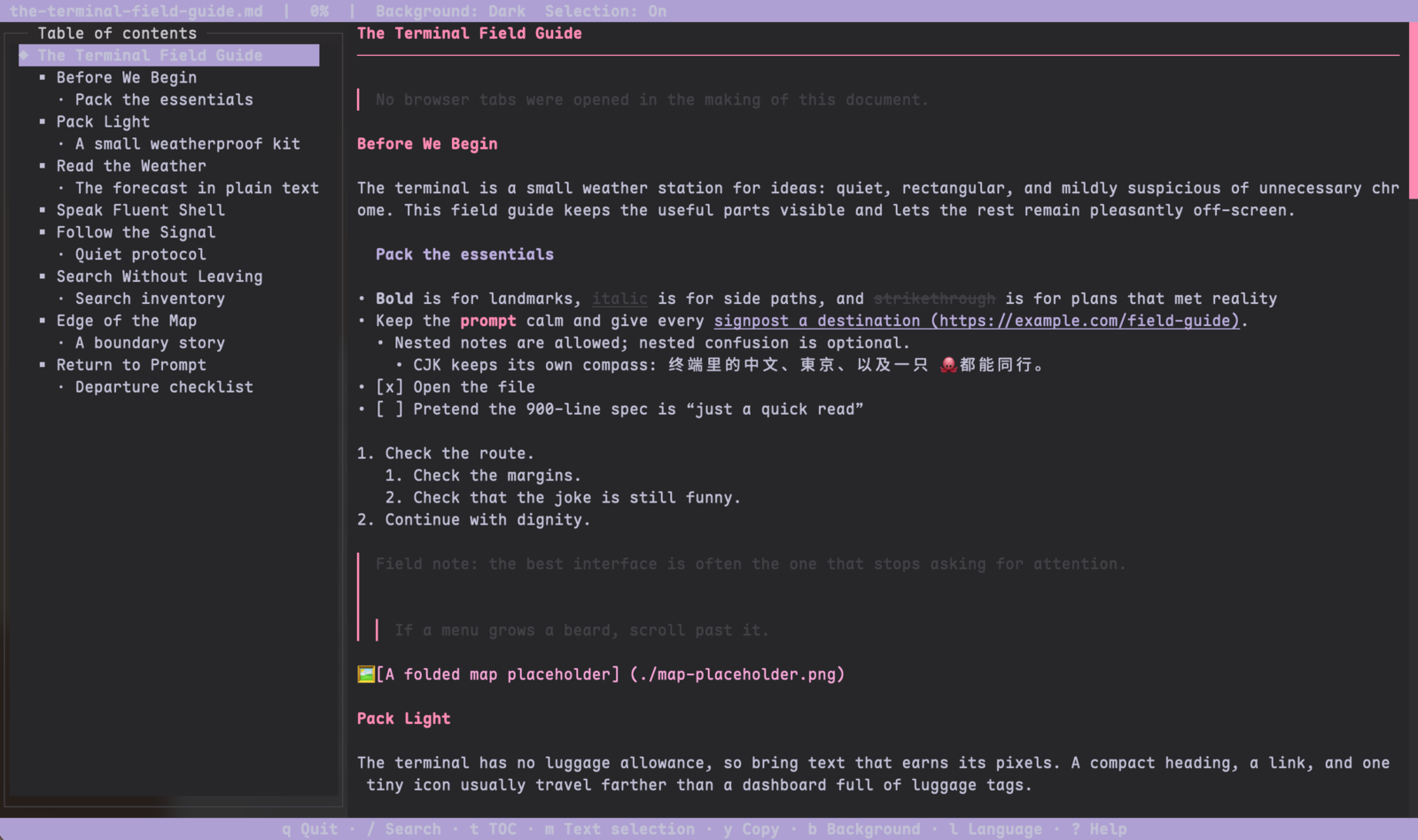
Shown in Ghostty; mdterm works in any compatible terminal.
- Full-screen, read-only Markdown rendering with headings, lists, tables, links, code, images, and task lists.
- Keyboard navigation, optional mouse selection, persistent search navigation, and a table of contents.
- Two backgrounds: Dark and Terminal. The Terminal background uses the terminal's own colors.
- English by default, with a session language switch to Simplified Chinese (
zh-CN). - Original-code copy buttons for visible fenced code blocks, including common list and blockquote nesting.
- Safe
http/httpslink opening only after a same-segment Ctrl-click gesture. - A bounded lightweight renderer for large Markdown files.
- Node.js 18 or newer
- An interactive terminal for the reader
From a published npm package:
npm install -g mdterm
md README.md
From a source checkout:
npm install
npm run build
npm install -g .
md and mdview open the same reader and accept the same arguments. mdview is the recommended name when md conflicts with a shell command.
Oh My Zsh commonly defines md as an alias for mkdir -p. Check the command before changing anything:
type -a md
alias md

\md README.md       # bypass an alias for this invocation
mdview README.md    # conflict-free alternative
unalias md          # remove the alias in the current shell
command md README.md
If type -a md reports a function rather than an alias, \md only bypasses an alias; use command md FILE or mdview FILE.
To make the change permanent, put this line after Oh My Zsh is loaded in ~/.zshrc, then open a new shell or run source ~/.zshrc:
unalias md 2>/dev/nullOn Windows Command Prompt and PowerShell, md may be a built-in or alias for mkdir. Use:
mdview README.mdmd README.md
mdview README_CN.md
md README.md --toc
md README.md --lang zh-CN
md README.md --no-mousemd <file.md> [--no-mouse] [--toc] [--lang en|zh-CN]
mdview <file.md> [--no-mouse] [--toc] [--lang en|zh-CN]
--no-mouse Disable application mouse input; use terminal-native selection
--toc Open the table of contents at startup
--lang Use English or Simplified Chinese for this process
-h, --help Show help
-v, --version Show the version
The file must be a readable UTF-8 regular file. md and mdview use the actual command name in user-facing errors.
| Action | Key or gesture |
|---|---|
| Scroll | ↑ / k, ↓ / j |
| Half page | PgUp / PgDn, Ctrl+u / Ctrl+d |
| Top / bottom | gg / G |
| Search | /, then Enter to confirm |
| Next / previous match | n / p; N remains compatible |
| Clear | Esc (selection first, then confirmed search) |
| Table of contents | t, then ↑ / ↓ and Enter |
| Focus content / TOC | Tab |
| Selection mode | m: On → Auto-copy → Off → On |
| Copy a manual selection | y |
| Help | ?, then any key |
| Exit | q / Ctrl+c |
When mouse input is available, the default is Selection: On: dragging selects text but mouseup does not copy automatically. Auto-copy copies on release; Off disables application selection. --no-mouse and terminal capability fallback use Selection: Terminal and do not advertise application m/y actions.
Code buttons and application text selection require mouse input. Normal clicks select text. A Ctrl-left-click opens a link only when the terminal reports the modifier and the press/release stay within the same visible link segment. Cmd-click is best effort and is not a cross-terminal guarantee.
/ searches as you type. Enter closes the input and changes the footer to a persistent navigation bar:
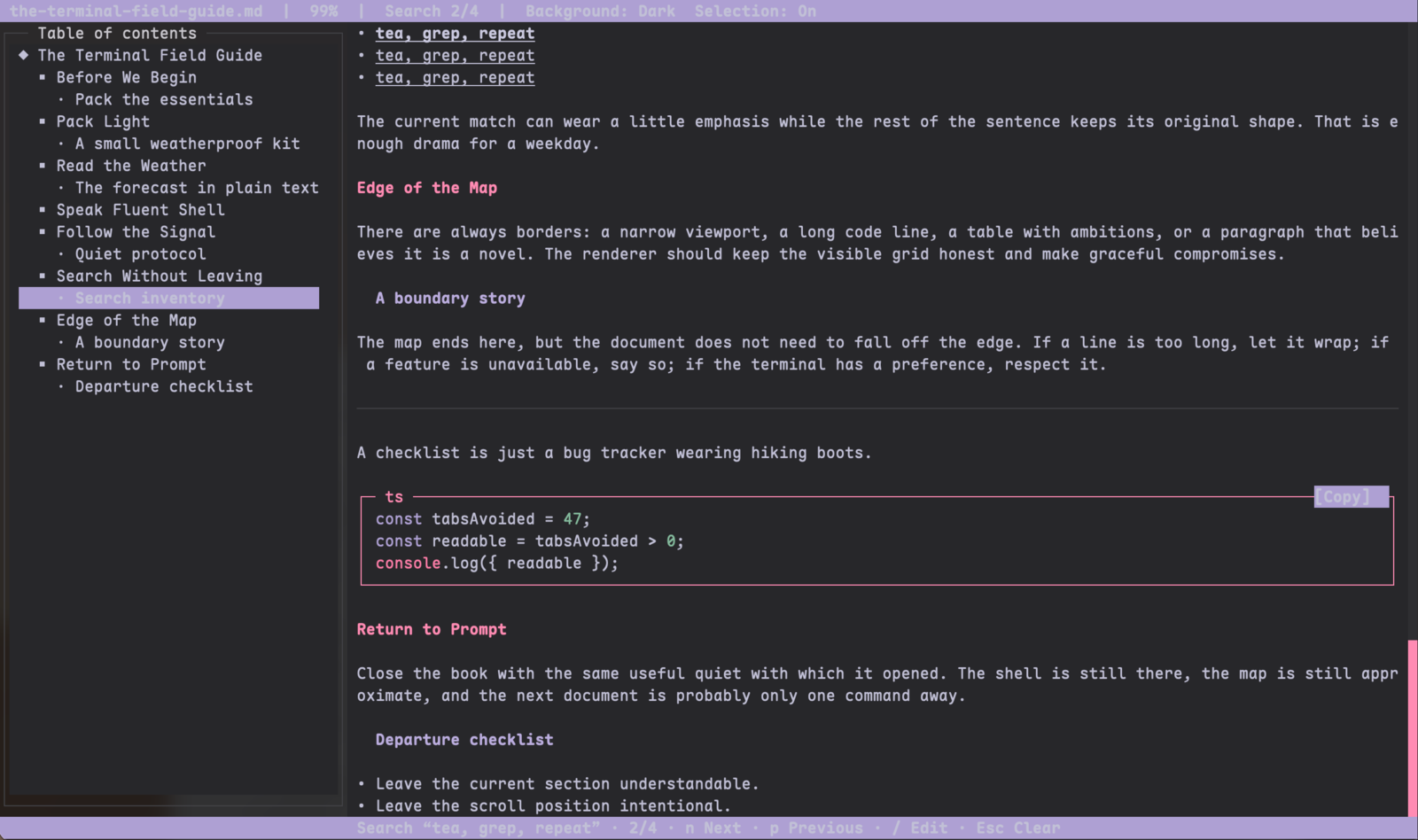
Search “keyword” · 3/17 · n Next · p Previous · / Edit · Esc Clear
Search is case-insensitive and maps Unicode case-folded matches back to original grapheme boundaries. This keeps characters such as İ, combining sequences, emoji, and CJK text intact. The current match uses bold, underline, and a bright or terminal-native foreground; it does not use inverse video or a search background. The renderer model may include overline, but neo-blessed terminals naturally degrade to the attributes they support.
Press b to switch between Background: Dark and Background: Terminal. No system-theme probe or terminal-color mutation is performed.
Press l to open a searchable language dialog. q, b, and m typed into the dialog are filter text, not global actions. Enter applies the selected language and Esc cancels. Language changes apply to the current session and are also saved as the next-start preference when applied from the dialog.
The reader stores only these non-sensitive user preferences in:
~/.config/mdterm/config.json
The first start creates:
{
  "language": "en",
  "background": "dark",
  "selectionMode": "manual"
}
The priority is explicit CLI option > valid config value > built-in default. --lang is one-shot unless the language dialog is subsequently applied. --no-mouse is a runtime capability option and never changes the saved selection mode. --toc, search, scroll, TOC focus, selection, and clipboard contents are not persisted.
The config directory and file use private permissions where the platform supports them. Writes use a same-directory temporary file and atomic replacement. Unknown JSON fields are preserved. Missing fields or invalid individual values fall back independently; a damaged or oversized file (over 64 KiB) is kept as a timestamped config.json.invalid-* backup when possible before defaults are written. Read, backup, or write failures do not block Markdown reading and produce one localized notice.
Code blocks show [Copy] when the visible code frame is wide enough and mouse input is available. The button copies the original code token, including newlines, tabs, indentation, and trailing spaces, without fence, language, list, or quote decoration. It reports Copied, Sent, or Failed from the actual backend and returns to [Copy] after two seconds.
System clipboard backends are asynchronous, use argument arrays with shell: false, and accept at most 4 MiB. OSC 52 is a separate fallback with a 100 KiB input limit. A timeout, cancellation, unavailable backend, or oversize input is reported as a failure; exiting the reader cancels outstanding clipboard work.
Only http:// and https:// links can be opened. The opener receives the URL as an argument, never through a shell command, and asynchronous opener errors are handled without crashing the reader. OSC 8 is not injected into neo-blessed content.
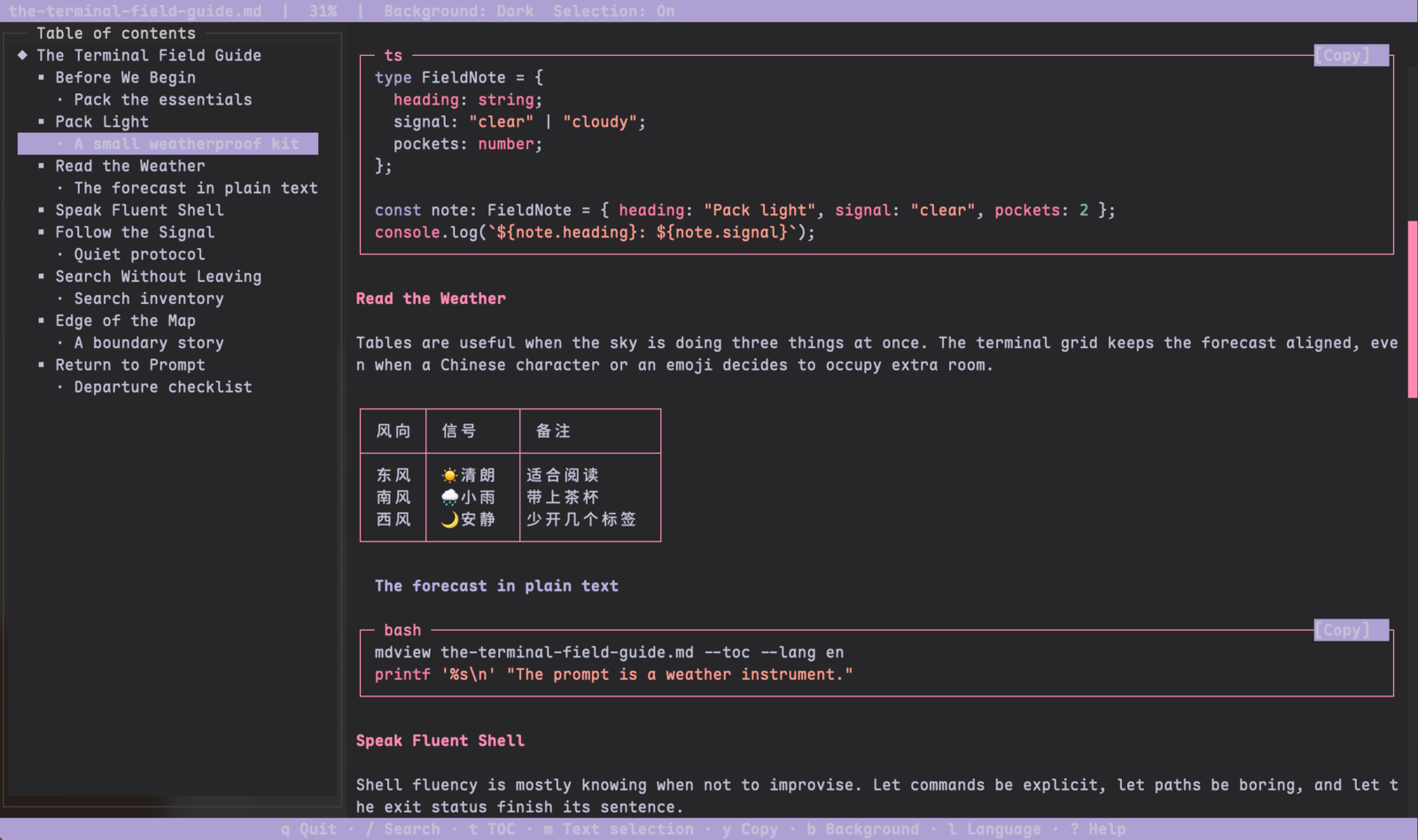
- ANSI-aware width calculations preserve CJK, combining characters, surrogate pairs, and emoji boundaries.
- Tables and long code lines reflow to the terminal width.
- Input terminal controls are sanitized before display.
- From 512 KiB of UTF-8 input, the reader uses bounded lightweight rendering and yields to the event loop. It keeps the source, search, scroll, and a bounded heading TOC while intentionally showing less rich formatting.
- The lightweight path is designed for bounded memory and exit behavior on multi-megabyte documents; it does not claim full rich rendering for every large input.
- TOC hover is not delivered in this version; only keyboard and click paths are supported. Code-button hover is progressive enhancement and depends on terminal mousemove reports.
- Cmd-click depends on terminal modifier reporting and is best effort. Windows and Linux system clipboard/opener integrations are covered by injected tests here, not by a claim of complete per-platform real-device acceptance.
- Link hitboxes cover the current rich-rendered viewport. Large-file lightweight mode leaves URLs visible but does not create rich link hitboxes.
- Selection does not auto-scroll while dragging at a viewport edge and copies rendered text rather than Markdown source.
- The app reads one file at startup and does not watch it for changes. Language and preferences are session/user-file settings; there is no project config, sync, hot reload, or settings page.
npm install
npm run typecheck
npm run build
npm test
Tests use temporary homes and fake clipboard/opener backends. Do not point tests at a real user configuration or global npm prefix. See CONTRIBUTING.md and SECURITY.md.
Codex independently completed implementation, testing, documentation, and release preparation. The maintainer set product goals and scope decisions and performed final quality acceptance.
Editing, file watching, rich images, footnotes, TOC hover, and a settings page are outside the 0.5 release scope. They are not implied by the current CLI or README.
MIT. See LICENSE.
0 comments
log in to comment.