

Animated effects for your GitHub profile, drawn from your GitHub data and refreshed every day.
Pick the effects you like, run one command (or add one workflow file), and they appear on your profile. Every image is generated from your own contributions, repositories and stats, so nobody else's profile looks like yours.
Pick effects, preview them on your own profile right in the browser, and get a ready-made setup in one click.
Gallery · Seasonal modes · Install in one command · Manual setup · Options · FAQ · На русском
These previews are regenerated daily from @qwerty-ll's real data, which is exactly what you'll get with yours.
A waving hand, Hi, I'm …, lines about you typed one after another, and a few quiet stat pills. Set the text with name and tagline.

Two slow rows of soft pills gliding in opposite directions. Set the list with skills, or leave it empty to use your top languages.

Your profile as a character sheet: avatar, level from your contributions, XP bar, six stats (commits, repos, PRs, followers, streak, stars), a class from your top language (TypeScript Paladin, Python Mage…) and achievements that unlock one by one.

Your top languages by code size in public repositories, as a neon LED equalizer that bounces like music.

Chrome's offline T-rex runs through your year and jumps over cacti in GitHub's contribution greens; taller cactus = busier day. Live score, a night sky in dark mode, and a GAME OVER screen at the end.

One rocket per month over a night city (a busy month gets a huge burst, a quiet one just fizzles), then the finale rocket's sparks fly into place and draw your whole contribution graph in the sky. With seasonal modes on, the finale turns into Happy New Year, Happy Halloween or Happy birthday.

A black hole opens in the middle of your contribution graph, spirals every square into itself, collapses in a big bang, and the graph re-forms.

An old CRT scope sweeps a green phosphor trace of your daily commits, with scanlines, glow and peak markers.

A terminal types git log --stats, prints your graph as ASCII art, then your stats: best day, streaks, top weekday and month, commits per month.

A pencil shades your year into a squared school notebook, then the teacher circles an A+. Supports English and Russian (language: ru).

A spaceship shoots down your commits as they fly at it, biggest first. Comes in light and dark versions that follow the viewer's GitHub theme.

intro, skills and dino-run follow GitHub's light/dark theme by default (style: clean). Add style: neon for the glowing synthwave versions instead:


Extra looks that switch on by themselves on the right dates, but only if you turn them on. Leave these inputs empty and nothing changes.
      - uses: qwerty-ll/CustomizeYouProfile@v1
        with:
          effects: intro, dino-run, fireworks
          seasons: new-year, halloween          # or: all
          birthday: "03-15"                     # MM-DD
countdown: 2026-12-31 Release; birthday # up to 3, separated by ;| Input | When it shows | What changes |
|---|---|---|
seasons: new-year |
Dec 15 – Jan 10 | Snow and a blinking garland on every effect. The dino wears a Santa hat and jumps over Christmas trees, and the fireworks finale says Happy New Year |
seasons: halloween |
Oct 24 – Nov 1 | Bats, a dangling spider and jack-o'-lanterns on every effect. The dino jumps over glowing pumpkin towers, and the fireworks turn orange and purple |
birthday: MM-DD |
on that day | Confetti, balloons and a Happy birthday ribbon on every effect. The intro types it's my birthday today! and the fireworks finale says Happy birthday |
countdown: … |
every day | A countdown card with flip-clock digits for up to 3 dates (YYYY-MM-DD Label, or birthday for your next birthday). The intro also types N days until … |
Dates follow UTC and the image updates once a day when the workflow runs.
new-year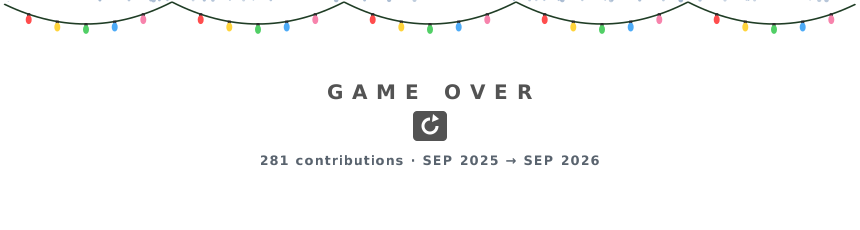 |
halloween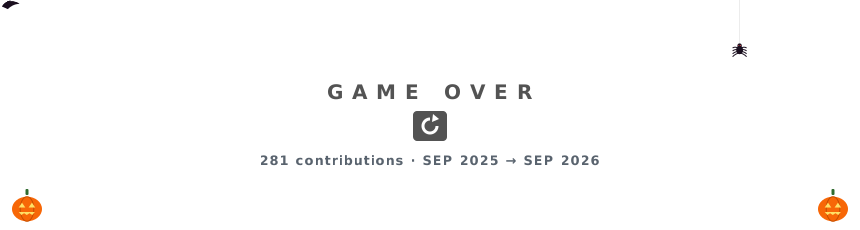 |
birthday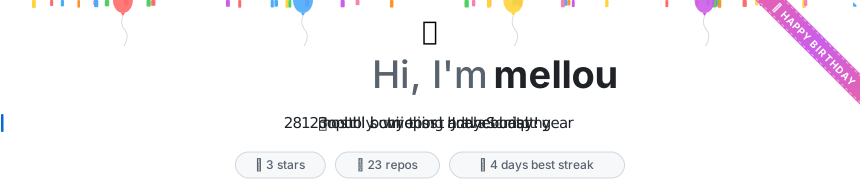 |
countdown |
Easiest: open the configurator, pick what you like, and press Add workflow on GitHub. It opens GitHub with the file already filled in, and no terminal is needed.
Prefer a terminal? You need the GitHub CLI logged in (gh auth login). Then:
bash <(curl -fsSL https://raw.githubusercontent.com/qwerty-ll/CustomizeYouProfile/main/install.sh) intro,rpg-card,dino-runReplace intro,rpg-card,dino-run with the effects you want, or use all. To personalize the text, put variables in front:
NAME="Mona" TAGLINE="Frontend dev|Cat person|Ships on Fridays" SKILLS="TypeScript,React,Go,Figma" \
  bash <(curl -fsSL https://raw.githubusercontent.com/qwerty-ll/CustomizeYouProfile/main/install.sh) all
Seasonal modes work the same way (they stay off unless you add them):
SEASONS=all BIRTHDAY=03-15 COUNTDOWN="2026-12-31 Release; birthday" \
  bash <(curl -fsSL https://raw.githubusercontent.com/qwerty-ll/CustomizeYouProfile/main/install.sh) intro,dino-run
The script:
- creates your profile repository
<you>/<you>if you don't have one yet, - adds
.github/workflows/profile-effects.yml, - starts the first run. About a minute later the effects are on your profile.
If you already have a profile README, it stays as it is. The images go into their own marked block at the top. Add DRY_RUN=1 in front of the command to see what it would do without changing anything.
- Make sure you have a repository named exactly like your username (
<you>/<you>). Its README is your profile page. - Add
.github/workflows/profile-effects.ymlto it:
name: Profile effects

on:
  schedule:
    - cron: "0 3 * * *"   # every day
  workflow_dispatch:       # plus a "Run workflow" button
  push:                    # and right after this file is added or edited
    paths: [".github/workflows/profile-effects.yml"]

permissions:
  contents: write

concurrency:
  group: profile-effects

jobs:
  effects:
    runs-on: ubuntu-latest
    steps:
      - uses: actions/checkout@v4
      - uses: qwerty-ll/CustomizeYouProfile@v1
        with:
          effects: intro, skills, rpg-card, dino-run
          name: Mona
          tagline: Frontend dev|Cat person|Ships on Fridays
skills: TypeScript, React, Go, Figma- Commit it. The first run starts by itself (or open Actions → Profile effects → Run workflow).
The action writes the SVGs to profile-effects/ and adds this block to your README (creating the README if needed):
<!-- customize-you-profile:start -->
... your effects ...
<!-- customize-you-profile:end -->
You can move that block anywhere in your README; later runs update it in place and never touch anything outside it.
| Input | Default | What it does |
|---|---|---|
effects |
dino-run |
Comma-separated ids, or all: intro, skills, rpg-card, languages, dino-run, fireworks, black-hole, oscilloscope, terminal, notebook, space-shooter |
name |
your GitHub name | Name shown in intro |
tagline |
a few facts about you | Lines typed in intro, separated by | |
skills |
your top languages | Comma-separated list for skills |
seasons |
off | new-year, halloween or all: see seasonal modes |
birthday |
off | MM-DD; confetti and Happy birthday on that day |
countdown |
off | Up to 3 YYYY-MM-DD Label entries separated by ; (or birthday) |
today |
real date | Pretend it's another day (for previewing modes) |
style |
clean |
clean: calm GitHub colors with light and dark versions. neon: the glowing synthwave look for intro, skills, dino-run |
language |
en |
Text language for effects that have text (notebook): en or ru |
readme |
README.md |
README to add the images to |
readme-position |
top |
Where the block goes the first time: top or bottom |
update-readme |
true |
false = only write the SVG files; place them yourself |
output-dir |
profile-effects |
Where the SVG files go |
login |
repo owner | Draw someone else's contributions |
commit |
true |
false = don't commit; handle it in your own steps |
commit-message |
Update profile effects |
Commit message |
token |
github.token |
Token used to read contributions (see FAQ about private ones) |
Want to place the images yourself, for example side by side in a table? Use update-readme: false and reference profile-effects/<effect>.svg.
Will everyone who uses it see my commits?
No. The action reads the data of the repository owner (or login), so each profile shows its own graph and stats. Decorations like mountains, city lights and stars are also seeded from your username, so the scenery is unique too.
Will it overwrite my README? No. Your README is never replaced, only one marked block inside it:
- no README yet: one is created with just the block;
- a README without the block: the block is added at the top (or
readme-position: bottom), and everything you wrote stays as it is; - a README with the block: only the content between the markers is refreshed. You can move the block anywhere, and text around it is kept;
- markers damaged (one deleted, or two blocks): the README is left untouched and the run shows a warning;
readme.md/Readme.mdare found too, so you never end up with two README files.
Don't hand-edit inside the block, because it's regenerated every day. To arrange images your own way (a table, side by side, smaller), set update-readme: false and reference profile-effects/<effect>.svg yourself. The installer also refuses to overwrite a profile-effects.yml workflow that isn't ours (unless you pass FORCE=1).
What data does it read? Your contribution calendar and totals, follower count, PR and issue counts, and your public repositories (for stars and languages). Private repositories are never read, so their names and languages can't leak into a public image.
Do I need to update anything next year?
No. Every run draws the last 12 months from GitHub, so it just keeps rolling. If the action itself gets improvements, @v1 picks them up automatically.
My profile is super busy / almost empty. Will it still look right? Yes. Sizes are scaled to your busiest day, busy profiles show their biggest days (for example the 40 largest cacti), and every effect loops in under 40 seconds. It was tested on profiles with 0, ~270, ~1 000 and ~4 600 yearly contributions, and every change runs an automatic check over empty, light, heavy and odd profiles.
Private contributions aren't counted.
The default github.token only sees public activity. To have private contributions counted, turn on Private contributions in your profile settings, create a personal access token (classic, read:user scope), save it as a repository secret named PROFILE_TOKEN, and add token: ${{ secrets.PROFILE_TOKEN }} under with:.
The images didn't change today. GitHub caches README images for a few minutes, so refresh a little later. Also check the Actions tab. GitHub pauses scheduled workflows in repositories with no activity for 60 days; if that happens, click Enable workflow there.
How do I remove it?
Delete .github/workflows/profile-effects.yml, the profile-effects/ folder, and the marked block in your README.
Can I run it locally?
GITHUB_TOKEN=$(gh auth token) node src/cli.mjs --login <you> --effects all --out out --no-readmeNode 18+ with no dependencies.
This project was made with the help of AI. The effects, the action, the installer, the tests and these docs were written together with Claude (Anthropic) in Claude Code: @qwerty-ll came up with the ideas and direction, and Claude wrote and checked the code. Commits written this way carry a Co-Authored-By: Claude line.
Found a bug or have an idea for an effect? Open an issue.
CustomizeYouProfile — анимированные эффекты для профиля GitHub, которые рисуются из твоих коммитов и обновляются каждый день.
Проще всего через конструктор: вводишь ник, выбираешь эффекты, сразу видишь превью на своих данных и одной кнопкой добавляешь всё в профиль, без терминала.
Установка одной командой (нужен залогиненный GitHub CLI):
LANGUAGE=ru NAME="Макар" TAGLINE="фронтенд и геймджемы|пишу код за кофе" SKILLS="JavaScript,React,C#,Unity" \
  bash <(curl -fsSL https://raw.githubusercontent.com/qwerty-ll/CustomizeYouProfile/main/install.sh) intro,rpg-card,dino-run,notebook
Скрипт сам создаст репозиторий профиля <ник>/<ник>, если его нет, добавит workflow и запустит первую генерацию. Если README уже есть, твой текст останется, а картинки встанут в отдельный помеченный блок.
- У каждого свой дизайн: Action берёт коммиты владельца репозитория, а декорации тоже зависят от ника.
- Раз в год обновлять не нужно: каждый день рисуются последние 12 месяцев.
- Стиль: по умолчанию
style: clean, это спокойные цвета GitHub, которые сами подстраиваются под светлую или тёмную тему. Для неонового видаintro,skillsиdino-runпоставьstyle: neon. - Эффекты про тебя:
intro(имя и печатающиеся строки:name,tagline),skills(твой стек:skills),rpg-card(карточка персонажа: уровень, характеристики, класс, ачивки),languages(языки из публичных репозиториев). - Эффекты по коммитам:
dino-run,fireworks,black-hole,oscilloscope,terminal,notebook(сlanguage: ruна русском: «Классная работа» и «5+»),space-shooter, илиall. - Сезонные и личные режимы, только по желанию:
seasons: new-year, halloween(снег, гирлянда, шапка Санты и ёлки / летучие мыши, паук и тыквы),birthday: 03-15(конфетти и «С днём рождения» в этот день),countdown: "2026-12-31 Релиз; birthday"(карточка обратного отсчёта). Если эти строки не прописать, ничего не включится. - Твой README не перезаписывается: картинки живут в отдельном блоке между метками
customize-you-profile:start/end, текст вокруг не трогается. Если метки повреждены, README не меняется, а в логах будет предупреждение. Внутри блока руками не правь, он обновляется каждый день. Чтобы расставить картинки по-своему, поставьupdate-readme: false. - Приватные репозитории не читаются, в картинку попадают только публичные данные.
- Сделано с
0 comments
log in to comment.