

Voyage is a study timer for iPhone that turns a focus session into a flight.
Free, no account, no ads, open source. If you want the app, download Voyage on the App Store.
If you want to build it yourself, see Build from source.
If you want to know how it works inside, read CLAUDE.md.
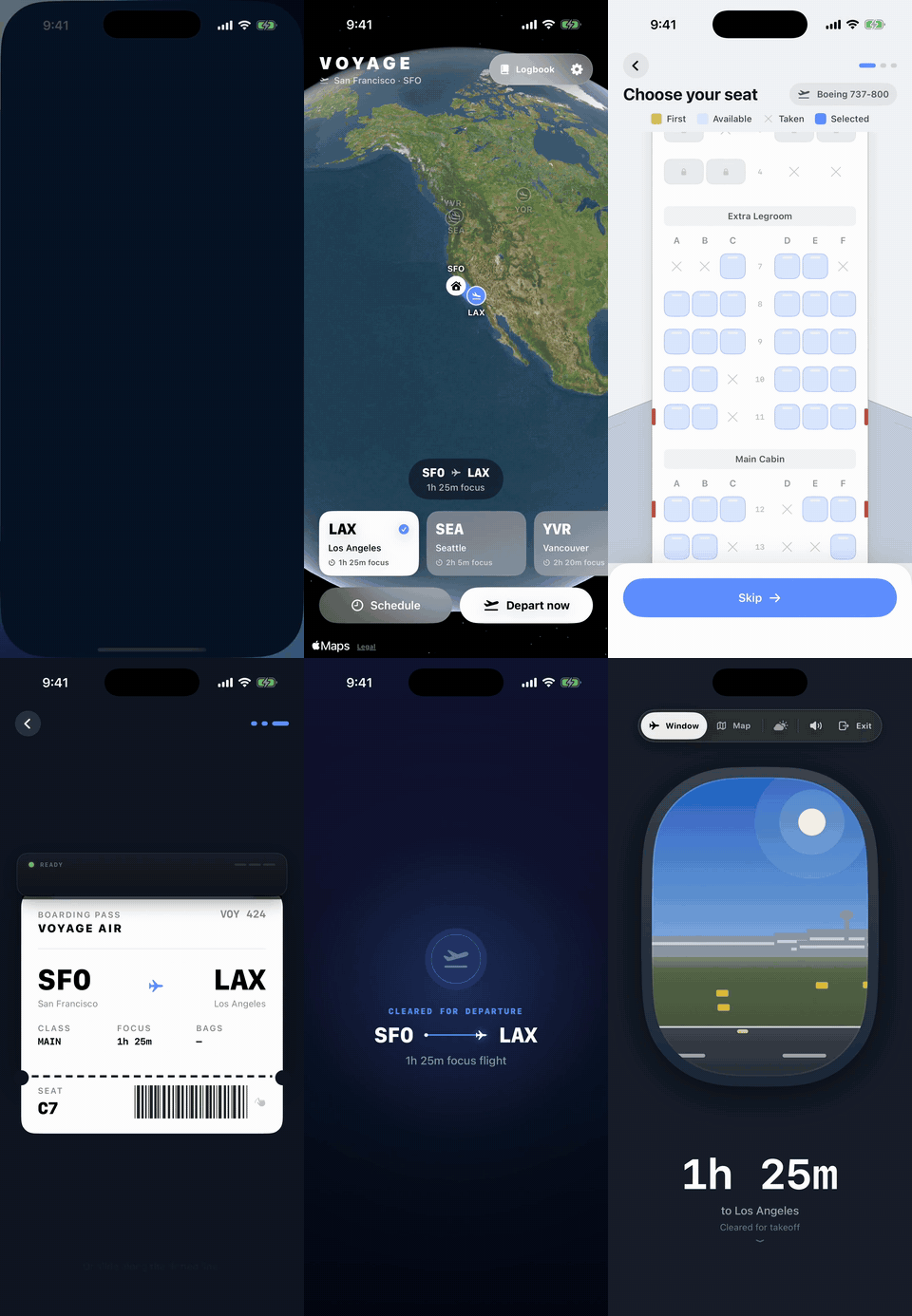
You pick a route on the globe. Its real flight time becomes the length of your study session. You choose a seat, pack up to three things to work on as bags, and tear the boarding pass to begin. Then you study while the plane flies: takeoff, climb, cruise, descent, landing. Leaving the app for more than 30 seconds ends the flight early. Landing earns a passport stamp and a logbook entry.
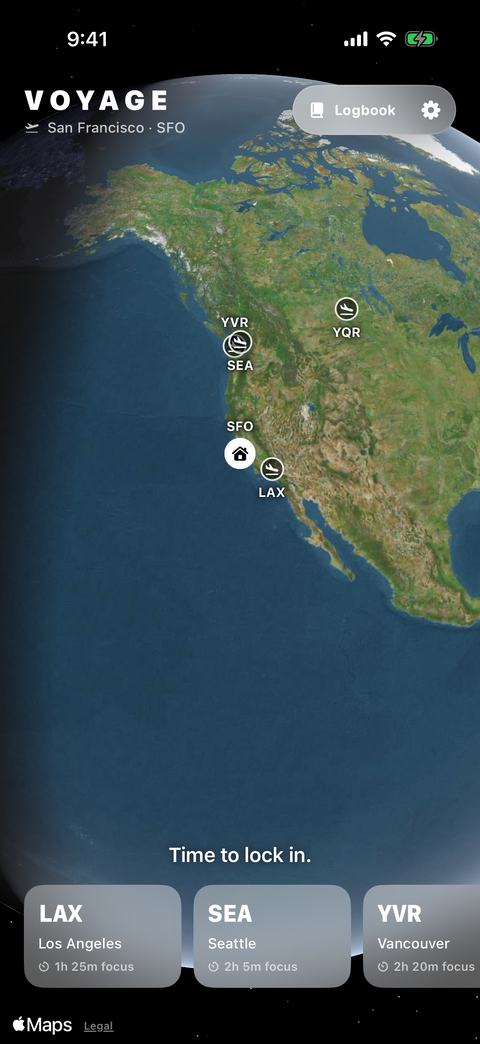 Pick a destination. |
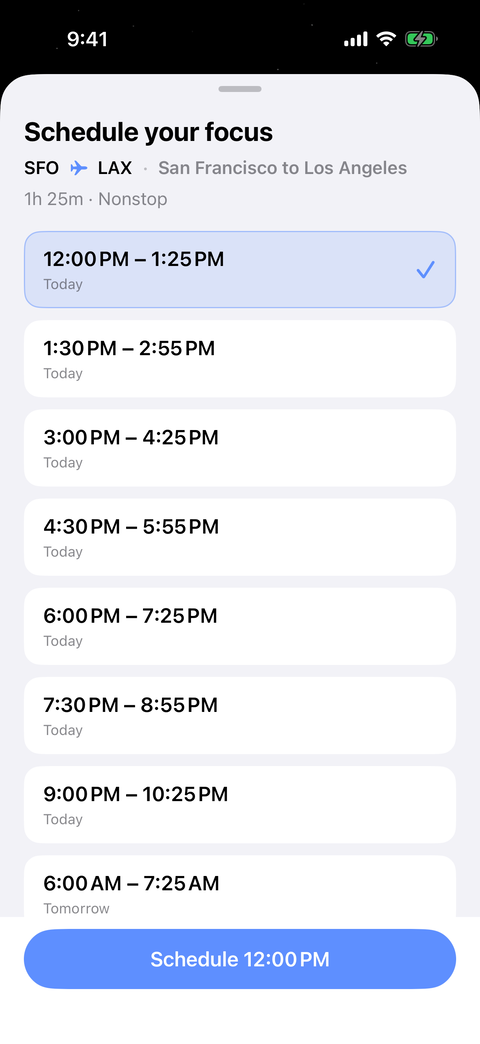 Fly now or schedule a departure. |
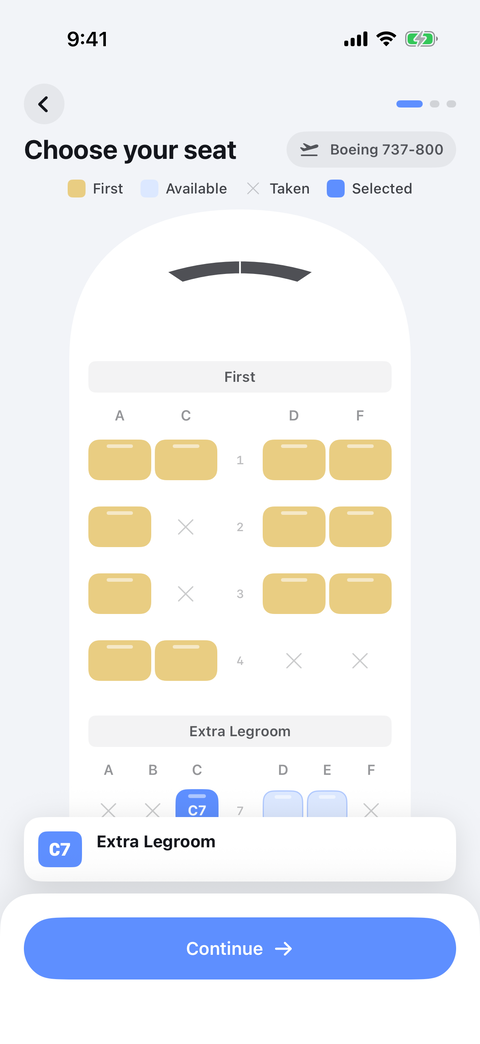 Choose a seat. Window seats change the view. |
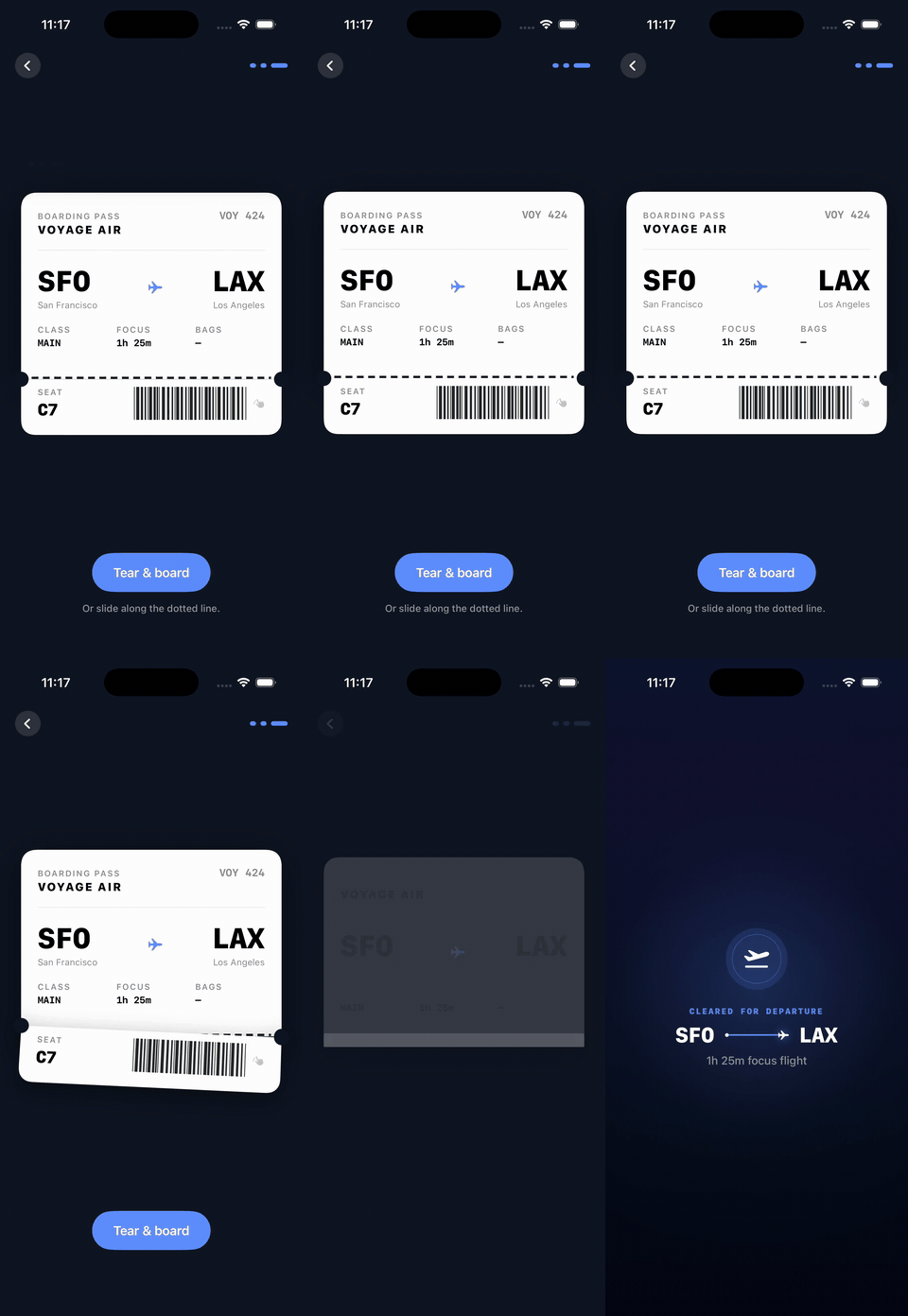
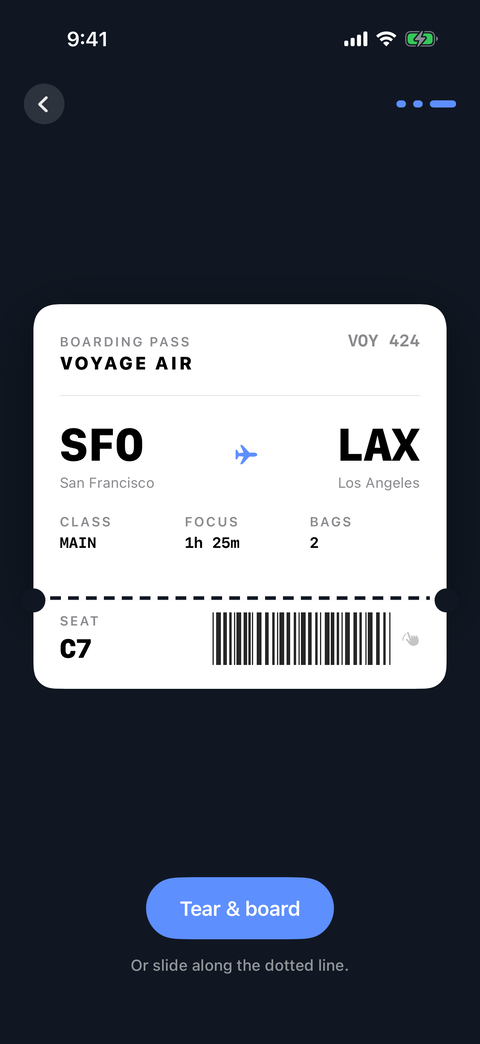 Tear the pass to start. |
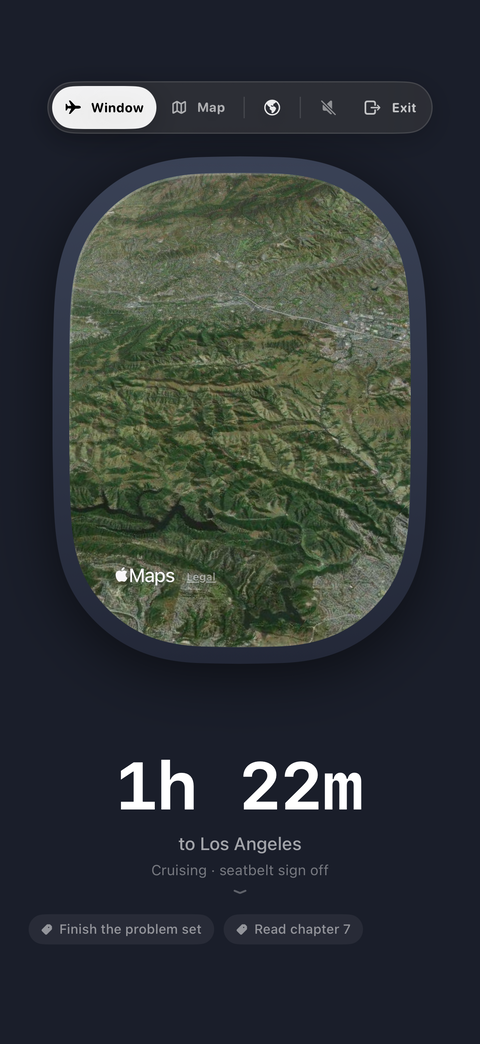 Study by the window. |
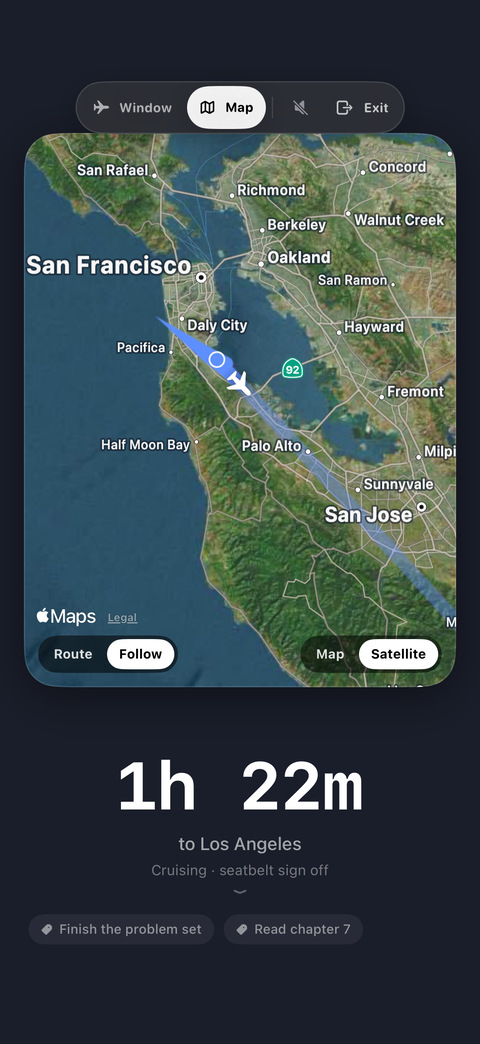 Or follow the route on the map. |
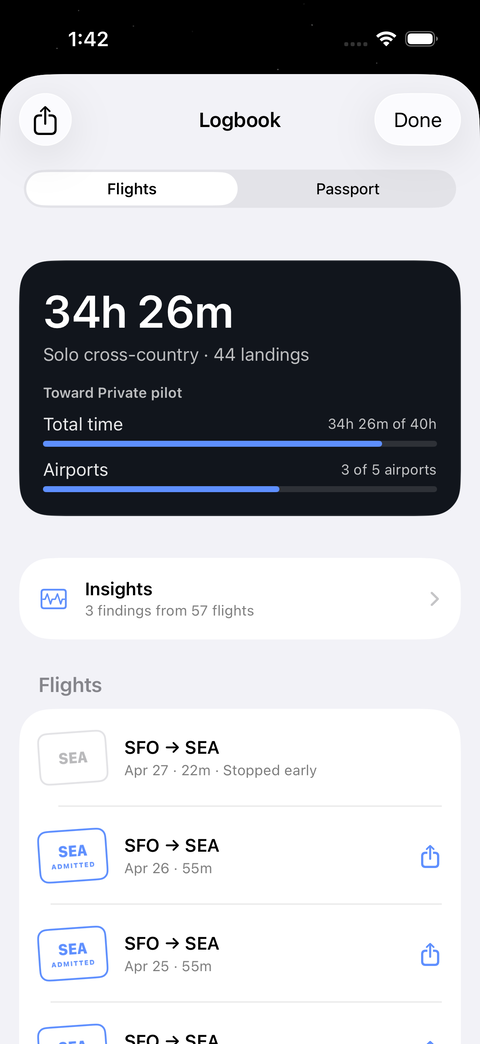 Every landing goes in the logbook. |
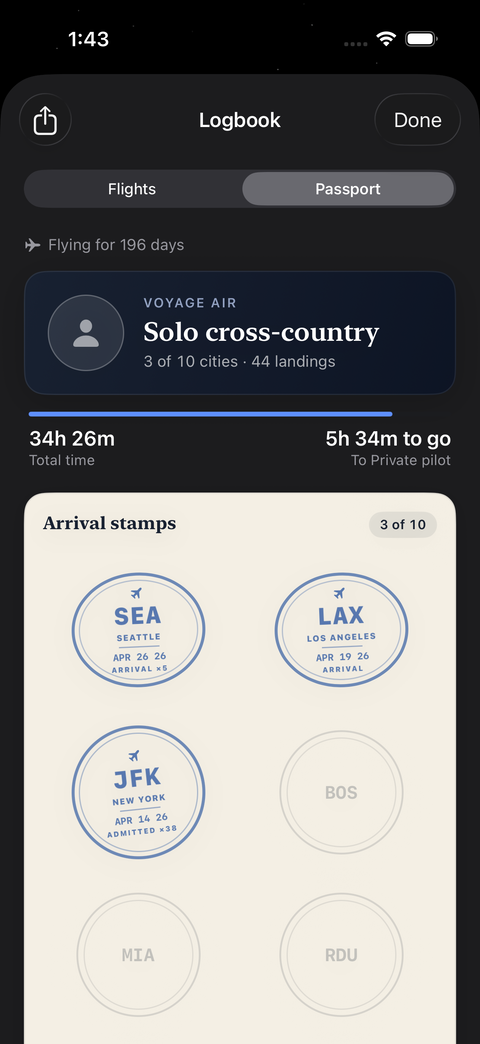 Collect a stamp for each city. |
The pass is the commitment. Press the button or slide along the dotted line, and the stub falls away.
- Real routes. Every airport pair has actual block times, so eastbound is shorter than westbound. Carriers, flight numbers, and typical departure times feed the departure board.
- Connections. Longer sessions can route through a hub with a layover between legs. Miss the boarding window and you miss the connection.
- Window scenery. Apple Maps satellite and terrain imagery streams past the window. With streaming off, or with no network, a procedural sky and cloud renderer takes over.
- Live weather. Current conditions at both airports come from Open-Meteo and show in the window. Without a connection, the sky is clear.
- Cabin. Recorded crew and captain announcements, procedural engine ambience, chimes, haptics, and cabin lighting that follows the phase of flight. Double-tap for pure mode: window and clock only.
- Lock screen. The flight shows in a Live Activity and the Dynamic Island, so you can check the time left without opening the app.
- Study coach. Insights reads your own logbook and suggests a length and a time for your next flight. It can also copy your logbook for ChatGPT, Claude or Gemini.
- Cabin service. Optional reminders to drink water, rest your eyes, and stretch.
- Focus. A Flight Focus filter ties a flight to iOS Focus. Location, if you allow it, sets your nearest airport as home. The app does not block other apps or turn on airplane mode.
Your logbook stays on the device. Voyage collects nothing and has no analytics or third-party SDKs. Details are in PRIVACY.md.
You need macOS with Xcode 15 or newer and an iPhone simulator or device on iOS 17 or newer. There are no packages to resolve, keys to set, or data to download.
git clone https://github.com/machmoon/Voyage.git
cd Voyage
open Voyage.xcodeproj
Select the Voyage scheme and an iPhone simulator, then press Cmd+R.
Real flights run at real length. To try one in under a minute, add -VoyageShortFlights under Scheme → Run → Arguments, or launch an installed simulator build with it:
xcrun simctl launch booted com.patrickliu.voyage -VoyageShortFlightsThis shortens the takeoff roll and climb. Route length, the logbook, and the 30-second rule are unchanged.
Command line build and tests
Find a booted simulator, then substitute its name:
xcrun simctl list devices booted

xcodebuild -project Voyage.xcodeproj -scheme Voyage \
  -destination 'platform=iOS Simulator,name=iPhone 17' build

# Unit and UI tests
xcodebuild -project Voyage.xcodeproj -scheme Voyage \
  -destination 'platform=iOS Simulator,name=iPhone 17' test

# Unit tests only
xcodebuild -project Voyage.xcodeproj -scheme Voyage \
  -destination 'platform=iOS Simulator,name=iPhone 17' test -only-testing:VoyageTests
If a fresh Xcode cannot compile Shaders.metal:
xcodebuild -downloadComponent MetalToolchainVoyage.xcodeproj is generated from project.yml. After adding or removing source files, run xcodegen generate instead of editing the project by hand.
Voyage is SwiftUI on iOS 17 with no third-party dependencies. The pieces:
| Part | Where | What it does |
|---|---|---|
| Flight engine | Voyage/Flight/FlightSession.swift |
One state machine owns timing, phases, announcements, the 30-second rule, layovers, and the logbook write. Time comes from an injected clock, so tests fly a whole route instantly. |
| Routes | Voyage/Models/RouteCatalog.swift |
Every directed airport pair with block times, carriers, flight numbers, schedules, and connections. |
| Navigation | Voyage/Models/GreatCircle.swift |
Spherical interpolation places the plane on the map along the real great-circle track. |
| Window | Voyage/Views/Flight/ |
A Canvas passenger window with per-phase kinematics, MapKit scenery, and a Metal haze shader. |
| Audio | Voyage/Audio/, Voyage/Resources/PA/ |
Procedural ambience, chimes, and haptics. Recorded PA lines for the crew and captain. |
| Persistence | SwiftData | A single LogbookEntry model. Tiers computed from the logbook unlock cosmetics only. |
| Widgets | VoyageWidgets/ |
Live Activity and Dynamic Island. |
| Tests | VoyageTests/, VoyageUITests/ |
Unit tests for phases, deadlines, connections, geometry, and weather. UI tours that write screenshots to QA/. |
The full architecture note is CLAUDE.md. Weather is from Open-Meteo, credited under CC BY 4.0 in Settings. Scenery is Apple Maps with Apple's attribution in the window.
- Privacy and Terms
- Screenshots and demo media
- Origins: Voyage began as an entry to the OpenAI Build Week Challenge, built with Codex.
Voyage is for students, by students. Bug reports, route suggestions, and pull requests are welcome.
This repository is licensed under the MIT License.
0 comments
log in to comment.