


Watch Discord. Join faster.
A client-side Fabric mod for Minecraft 1.21.11 that watches Discord channels for event drops and either notifies you or automatically connects you to your target server the instant a matching message appears.
Ever missed an event because someone posted it in Discord before you saw it?
EventWatcher watches the channel for you and reacts instantly. Whether you just want a notification or want Minecraft to automatically connect to your target server, EventWatcher is designed to get you there as fast as possible.
It works both from the Minecraft Title Screen and while you're already in-game, so you never have to sit refreshing Discord again.
EventWatcher works both from the Minecraft title screen and while connected to another server.
This project was built with AI assistance ("vibecoding"). If that isn't your thing, this project probably isn't for you.
Using a User Token (selfbot) violates Discord's Terms of Service. If you choose to use one, use an alternate account—not your primary account.
Use this mod at your own risk. Any bans, restrictions, or other actions taken by Discord, Minecraft servers, or third parties are your responsibility.
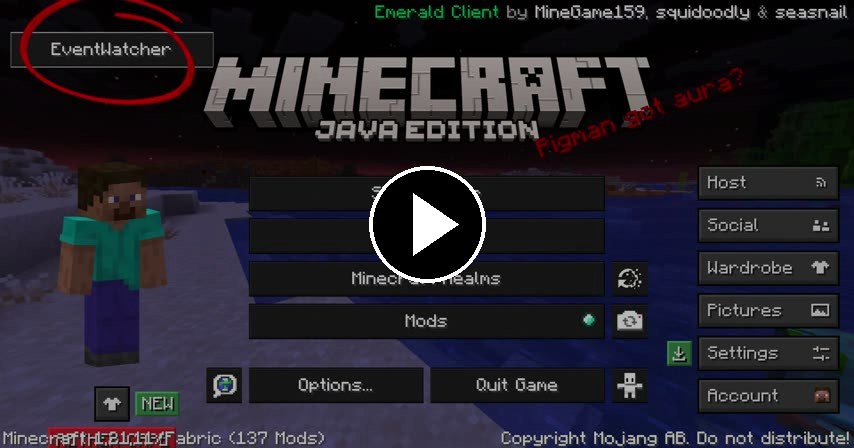
New to EventWatcher? Watch the quick setup walkthrough:
Configure as many servers as you want.
Each profile has its own:
- Discord channel(s)
- Keywords
- Target Minecraft server
- Notify Me / Auto-Connect mode
- Cooldown timer
Choose whichever authentication method fits your situation.
- Uses Discord's Gateway API
- Receives messages instantly
- Fastest possible detection
- Fully supported by Discord
Perfect if you own the Discord server or can invite a bot.
- Uses Discord's REST API
- Polls Discord periodically
- Useful when bots cannot be added
- Violates Discord's Terms of Service
Designed to avoid false positives.
Supports:
- Whole-word matching
- Negative keywords using
! - Per-server cooldowns
Examples:
event
!ended
The keyword event won't trigger on words like prevent.
If your event server is:
- Full
- Queueing
- Temporarily unavailable
EventWatcher will continue trying until Minecraft successfully joins.
Some event servers make you run into the hub and right-click a specific NPC to join a round — like clicking Spoke [E] or Parrot [O].
EventWatcher can do that for you.
Set up your characters (Spoke, Parrot, Wemmbu, and Flame come ready to go) and their rounds. When an announcement like spoke-e drops, EventWatcher will:
- Connect to the event server
- Walk up to the matching NPC (
Spoke [E]) - Right-click it to join the queue
Turn it on under Settings → Join Macros, or with /ewmacro on.
It keeps working while you're typing in chat, in a menu, or tabbed out of the game — that's the whole point.
Join Macros are OFF by default. Nothing auto-joins until you switch them on.
Standing in the hub, use the Capture nearby button (or /ewmacro capture <character>) to auto-add every <character> [..] NPC it can see — no typing NPC names by hand.
Auto-walking and auto-clicking is automation. Some servers may not allow it. Use at your own risk.
Missed notifications are a thing of the past.
Every detected event gets its own notification containing:
- Join button
- Discord username
- Discord avatar
Multiple events can stay queued at once.
Choose from:
- Built-in Minecraft sounds
- Your own custom
.wavfiles
A custom UI with an animated starfield and swappable themes:
- Galaxy, Night, Summer, and Aurora presets
- A Custom theme where you set your own title/text gradient (hex stops)
- Your own background image — a
.png, or an animated.gifthat actually plays - A dim slider so your background never makes the text unreadable
- Pick it all under Settings → Appearance
Background images are loaded from a full path on your PC (e.g. C:\Users\you\Pictures\bg.gif). Video files aren't supported.
Send your servers, characters, sound, and theme to a friend — without your Discord token.
- Settings → Share Config → Export writes
config/eventwatcher-share.json(token stripped) - Your friend drops that file in their
configfolder and hits Import — their own token is kept - Test Token button checks your token against Discord and tells you if it's valid
- Test Alert button
- Persistent Events Caught counter
- Keyword collision warnings
- Helpful hover tooltips
/ewjoincommand- ModMenu integration
- Works on the Title Screen
- Works while connected to servers
Coming soon.
- Install Fabric Loader for Minecraft 1.21.11
- Install Fabric API
- (Optional) Install ModMenu
- Download the latest EventWatcher release
- Place the JAR inside your
modsfolder - Launch Minecraft
- Open EventWatcher.
- Choose your token type.
- Enter your Discord token.
- Add one or more Discord channels.
- Configure your keywords.
- Enter your target server.
- Choose Notify Me or Auto-Connect.
- Save.
You're done.
Configuration is stored in:
.minecraft/config/eventwatcher.json
Your Discord token is stored in plain text inside the configuration file. Keep it private and never share it.
/ewjoin
Immediately connects you to the configured target server.
/ewmacro on | off               Turn Join Macros on or off
/ewmacro list                   List your characters and their rounds
/ewmacro go <char> <round>      Run a round now (e.g. /ewmacro go Spoke E)
/ewmacro scan                   List named NPCs near you in the hub
/ewmacro capture <char>         Add nearby "<char> [..]" NPCs (with positions)
/ewmacro capturelook <char> <round>   Save the NPC you're looking at
/ewmacro stop                   Cancel a running macro
Yes.
Everything runs on your Minecraft client.
Yes.
EventWatcher works both on the Title Screen and while connected to another server.
Yes.
Each server can have its own:
- Discord channels
- Keywords
- Mode
- Cooldown
- Target server
Whenever possible, use a Bot Token.
Only use a User Token if you cannot add a bot to the Discord server.
- Verify your Discord Channel IDs.
- Verify your keywords.
- Make sure your bot has permission to read the channel.
- For bot tokens, ensure Message Content Intent is enabled.
Check your configured target server address.
Ensure the file is a valid .wav.
Requires:
- JDK 21
- Java 21
Clone the repository:
git clone https://github.com/Slimeerr/eventwatcher.git
cd eventwatcher
Build:
Linux/macOS
./gradlew buildWindows
gradlew.bat buildThe compiled JAR will be located inside:
build/libs/
- Minecraft 1.21.11
- Fabric Loader
- Fabric API
- Java 21
- Multi-server support
- Notification queue
- Retry Until Joined
- Whole-word keyword matching
- Negative keywords
- Custom sounds
- Galaxy UI
- Join Macros (auto-click hub NPCs)
- Themes + custom gradient
- Shareable config (no token)
- Custom background image (png + animated gif)
- Additional quality-of-life improvements
Released under the MIT License.
See the LICENSE file for more information.
EventWatcher is made by slime.
Join Macros were suggested by @LocalDiego — thanks for the idea.
Made for people who'd rather be playing Minecraft than refreshing Discord.
0 comments
log in to comment.