

A free production studio for AI films and microdramas that runs on your own computer. Script in, finished cut out: cast and locations, storyboards, video takes, a playable rough cut, sound, and a timeline you can finish in DaVinci Resolve.
Click the picture to watch the 57-second demo.
Full walkthrough (8 min): install, then every stage of a real production, narrated.
Chapters
0:00 Free, no subscription · 0:18 Install · 0:30 The Library · 0:54 Connect your services · 2:00 Script in · 2:32 The Vault · 3:28 Keyframes to video · 4:23 Your budget, enforced · 4:54 Pick and trim · 5:27 Rough cut and sound · 6:40 Film out · 6:50 Remaster · 7:45 Wrap-up
Alpha. Built for one filmmaker's real production and now shared. It works, it's tested (600+ automated checks), and it has rough edges. macOS is the only system tested so far.
- On this page, click the green Code button → Download ZIP. Open the ZIP to unpack it.
- Open the unpacked folder and double-click Install and Open Red Clover Studio. The first time, macOS may say it can't verify the file: right-click it → Open → Open.
- If it says you need Node.js, it opens the download page. Install it, then double-click the file again.
- The first run installs the app's parts (about a minute) and opens Red Clover Studio in your browser. Next time, just double-click the same file. Keep its window open while you work.
Video tools (ffmpeg) are needed for trimming, thumbnails and export. The app opens without them; see Install below to add them. For developers, the command-line route is below.
Screens are from the sample's parent production, Fashion Heist S1E1: 41 shots, every video take made in the app, $53.99 in API spend against a $60 cap (that figure is the app's ledger, checked against the real fal bill).

Where you start. Every production, series and episode in one place, each with a still from its own assets. Start a new production or episode, or start a remaster from a Resolve cut (step 9).

Add keys for the services you want, in one place: fal for video (MiniMax, Seedance, Kling, Wan), GPT Image, lip sync, upscaling and sound effects; Atlas Cloud for Seedance 2.5 and Seedance 2.0 Fast/Mini at Atlas's prices; Comfy Router for MiniMax H3, Seedance and Nano Banana through Comfy's API; Google Gemini for Nano Banana stills; ElevenLabs for voices; Anthropic or OpenRouter for the Claude helpers. Keys stay on your computer and the app only ever shows their last four characters.
A price watch checks live prices every six hours, so quotes and your cap use current numbers.
Cheapest route. If two services you've connected sell the exact same model (same mode, tier and quality), each take goes through the cheaper one at that moment, using live prices where the service publishes them, and the quote shows the saving before you pay ("sent via Atlas at $0.330/s instead of fal at $0.466/s"). It only compares like for like, never swaps one model for another, only uses services you've connected, and records which route each take took. On by default; the CHEAPEST chip turns it off. Today that covers Seedance on fal and Atlas Cloud; new service adapters join automatically. The model picker opens on the cheapest connected service for the model you chose.

Upload a screenplay (.fdx, .fountain or .txt). The app reads the scenes from its sluglines, plus the characters, locations and props. A Claude helper can draft a provisional shot list per scene (the Fashion Heist one cost $0.06), and a what's missing check compares the script with the cards you already have. You edit and approve; nothing is applied on its own.

Face and full-body turnarounds, locations from several angles and times of day, props. Generate them here or upload images from anywhere (ChatGPT, Midjourney, your own photos). Each card gets an identity hold, a short description that the prompt helpers use to reinforce the reference image, so a face or a set stays the same from shot to shot. In a series, the vault carries over to every episode.

Every shot on one contact sheet, scene by scene, with a running count of boards and takes done. Each shot can have a single keyframe or a first and last frame. Generate a few stills, pick your start and end, or upload your own. Add reference images, or a reference video (Blender previs, grey-box, an earlier take) to steer the camera.

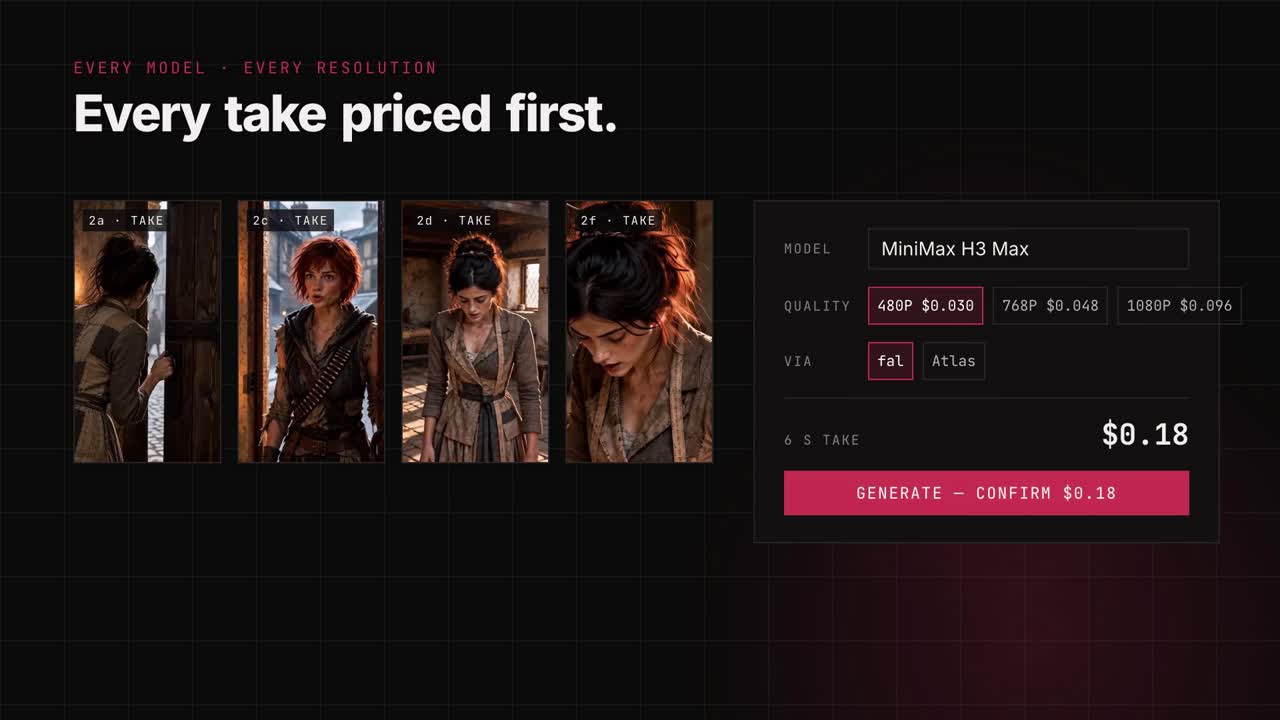
Choose the model, mode, tier and quality from short rows of choices. Every choice shows its price per second, and the shot's quote is up front, based on duration, model and quality. The prompt you see is exactly the prompt that's sent. Each take adds to the running total in the corner. Set a budget cap for the episode: the app blocks anything that would go over it until you raise the cap yourself.
Draft, then finish. On Atlas, Seedance 2.5 can make a cheap 480p draft (measured: $0.134 per second) so you can check that a move works. Finish at 1080p then re-renders that same draft at full quality. The finish price (about $0.263 per second, from Atlas's page) is an estimate until a real finish has been billed, and faces and small detail are re-rendered, so check the result.
Sound on or off. On Seedance rows that have it (Atlas, and Comfy), a Sound On | Off switch turns the model's generated sound off for a silent take, for one shot or for a whole batch. The price is the same either way.
A take that is queued or running is marked red and pulses softly, so a submitted take is easy to see. A refused request (a model refusal such as fal's 422) is not charged.

Compare a shot's takes, select the one you prefer, and mark in and out points so only that part goes to the cut and the timeline. You can also cut out a stretch from the middle of a take (a cross-fade, a stumble) and keep both sides: each kept piece becomes its own clip, and dialogue, sound effects and exports follow. Upscale a take to 1080p (SeedVR2 or Bytedance, on fal) from the same panel; only the part you kept is sent and paid for. Undo (⌘Z) never discards a take you paid for.

Every line of dialogue, by character. If a take's generated voice is wrong or drifts between shots, swap it for the character's ElevenLabs voice, re-voice it from the take, remove the line, or upload a recording (a voice actor, or you) and run a lip-sync pass. Add sound effects per shot (several models, Kling by default) and room tone per scene from what's happening in it: rain, city, a quiet workshop.

Play the whole episode as a rough assembly, with storyboards holding the places of shots not made yet. When it's right, export:

- DaVinci Resolve: an FCPXML timeline, with your media sorted into scene bins.
- OpenTimelineIO, or a CapCut-ready folder.
Make the whole episode first on a cheaper model (MiniMax H3 costs a fraction of Seedance 2.5), cut it in Resolve, then bring the Resolve timeline back as a remaster. The app knows exactly which clips you used and how long each one is, so you regenerate only those shots, at only those lengths, on the premium model. You pay premium prices for the finished cut, not for every experiment.
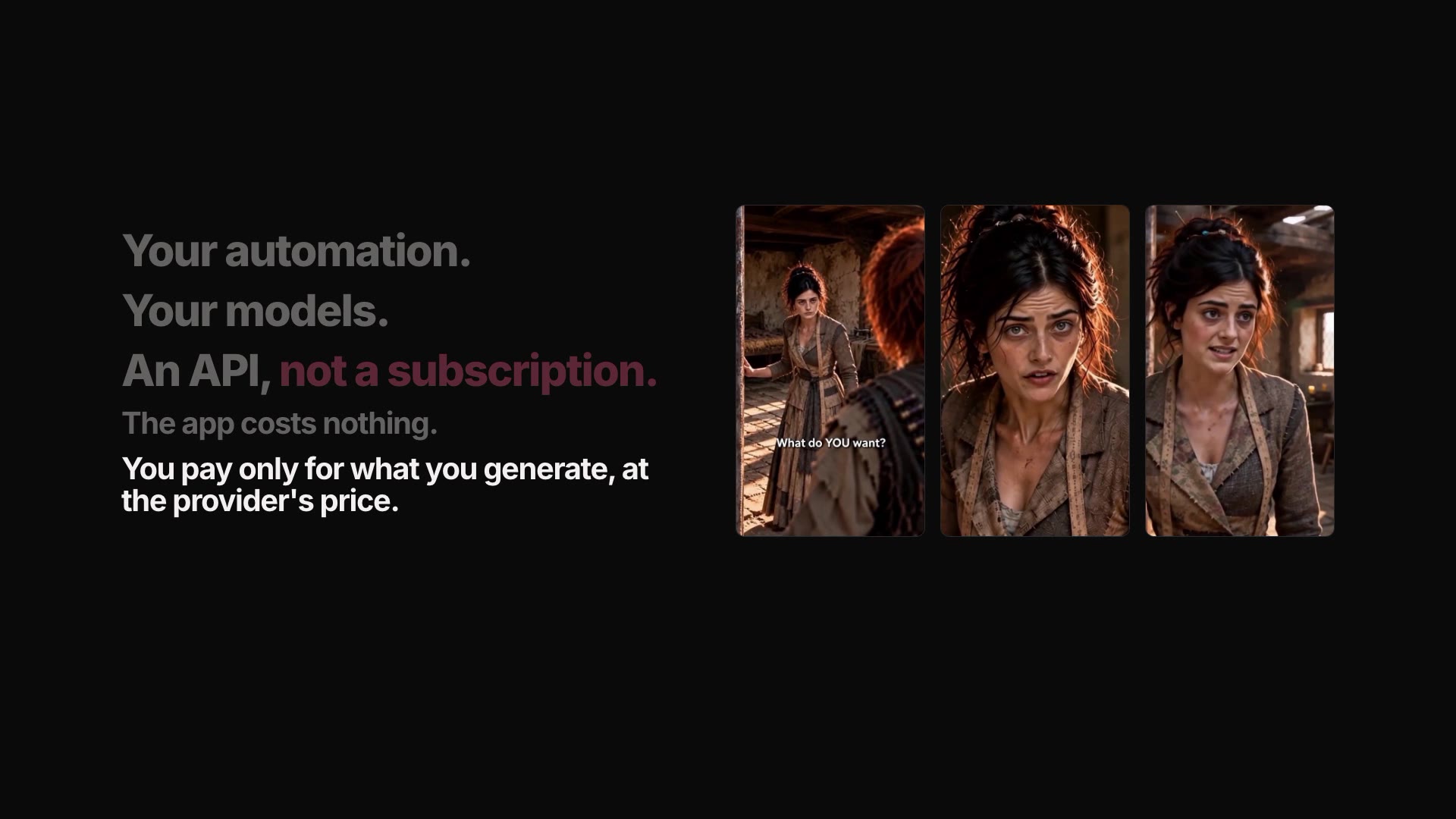
The app is free. Video, images, voices and the Claude helpers come from services you connect with your own API keys, and you pay them directly, at their prices. The app never marks up a price. There's no subscription to the app and no monthly credit allowance to use up before it resets.
- Every paid action shows its price first, and anything over your threshold asks you to confirm the exact amount.
- A spending cap per episode that the app enforces.
- A receipt for every take: model, seconds, cost. The episode total is always in the corner.
- A price watch that tells you when a model you use gets cheaper.
You need macOS, Node.js 22 or newer and
ffmpeg (brew install ffmpeg).
git clone https://github.com/ShawnTheWriter/red-clover-studio.git
cd red-clover-studio
npm install
npm start
npm start opens the app in your browser at http://localhost:8099.
On first run the app asks where your projects should live: any folder, including one inside
Dropbox, Google Drive or iCloud. Then open ⚙︎ → Connections and add the keys for the services
you want. Keys are saved on your computer only, in the app's .env file, and the app only ever
shows their last four characters.
| Service | What it powers | Needed? |
|---|---|---|
| fal | Video (MiniMax H3 / H3 Max, Seedance 2.5 / 2.0, Kling, Wan), GPT Image, lip sync, upscaling, sound effects | For video, yes |
| Atlas Cloud | Seedance 2.5 (including 480p drafts and 1080p finish) and Seedance 2.0 Fast/Mini at Atlas's prices | Optional |
| Comfy Router | MiniMax H3, Seedance 2.5 and Nano Banana stills through Comfy's partner-model API (see below) | Optional |
| Google Gemini | Storyboard and vault images (Nano Banana) | Recommended |
| ElevenLabs | Character voices | Optional |
| Anthropic or OpenRouter | Claude helpers (shot lists, holds, prompts) | Optional |
Without any keys you can still write, board with your own images, import clips you already have, cut and export.
Red Clover can send video takes through the Comfy Router, Comfy's single API for partner models, so one Comfy key and one credit balance pay for the shot. It was added for the Open Source Higgsfield challenge on the Comfy Developer Platform.
- Make a key at platform.comfy.org (API Keys → + New) and add credit in your Comfy workspace. Comfy sells credits at 211 per US dollar.
- Add the key under ⚙︎ → Connections → Comfy Router, or put
COMFY_UI_API_KEY=...in.env. - In the video picker, choose Comfy in the VIA row. Comfy rows are opt-in: the cheapest-route setting compares fal and Atlas only and never moves a take onto Comfy by itself. Comfy's prices are typed in from its pricing page (read 2026-10-16), not checked live like fal's, and the app doesn't read your Comfy balance.
| Row | Mode | Price (Comfy's published rate) |
|---|---|---|
| MiniMax H3, 768P | Start frame | $0.1287 per second (measured: a 5 s take used 136 credits, $0.6445) |
| MiniMax H3, 2K | Start frame | $0.1859 per second |
| Seedance 2.5, 480p / 720p / 1080p | Start + end frames | about $0.33 per second at 720p (billed by token) |
| Seedance 2.5, 720p | References (images and video) | about $0.36 per second, estimate |
Storyboard and vault stills can run through Comfy too: pick Nano Banana 2 · Comfy or Nano Banana Pro · Comfy as the still model. They are billed by token (about $0.09 for a 1K Nano Banana 2 image), and Comfy bills refused prompts, so the app books them at a ceiling price.
How it works: the driver is server/drivers/comfy.js. It submits to
POST /v2/models/{provider}/{model}/requests, polls /status until COMPLETED, fetches the
result and downloads the clip before Comfy's signed link expires. Stills and reference videos go
inline as data URIs, capped at the Router's 100 MiB request limit.
Known gaps: the Router returns no per-take charge, so takes are booked at the price above and the spending cap works from that estimate. Check your Comfy balance to reconcile. H3 with a start frame is proven on the live service; Seedance 2.5 frames and references follow Comfy's model pages but have not been run live yet.
Everything is plain folders and files you can open, back up or sync:
<projects folder>/<Series>/             series.json, series bible
<projects folder>/<Series>/<Episode>/   studio.json + 00_script … 05_delivery
Every edit can be undone (⌘Z). Undo never discards a take you paid for.
Export the timeline as FCPXML into Resolve. The app also writes a Resolve script, found under Workspace → Scripts, that sorts the media into scene bins. To bring an edit back, export your Resolve timeline as FCPXML into the episode folder and use Post-production → From Resolve, or Library → + Remaster from a Resolve cut.
- Tested on macOS with Chrome. Windows and Linux: untested. Windows testers wanted: if you can try it, please open an issue with what happened.
- Some prices are estimates until a real bill comes back; those are marked "~" in the app. The Atlas 1080p finish and the Atlas Seedance 2.0 rows are in that group.
- Whether Atlas's content filter accepts realistic faces on Seedance 2.0 is untested; it accepts them on 2.5.
- Modules (reusable shot recipes, previz and looks, shareable with other creators) have their places in the app but are not built yet.
npm test runs every suite. docs/DEVELOPMENT.md covers the architecture,
data model and history. The only runtime dependency is the Anthropic SDK; there is no build step.
MIT — see LICENSE. The sample project's story, characters and media are © Shawn Whitney and are included for trying the app, not for reuse.
Made by Shawn Whitney for Red Clover Studios, built with Claude Code.
0 comments
log in to comment.