


Run multiple Claude Code sessions in parallel from Discord — each thread in its own git clone, so sessions never share a working tree.
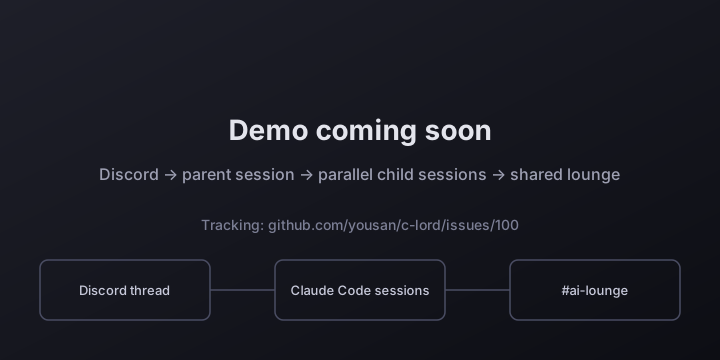
Each Discord thread becomes a fully isolated Claude Code session. Work on a feature in one thread, review a PR in another, and run a background task in a third — simultaneously, from your phone, tablet, or desktop. Each thread works in its own clone of the repository, so sessions never edit the same working tree.
日本語 | 简体中文 | 한국어 | Español | Português | Français
Based on claude-code-discord-bridge by @ebibibi (Masahiko Ebisuda). This project was originally created by ebibibi and is used here under the MIT License. Thank you for the great foundation.
Disclaimer: This project is not affiliated with, endorsed by, or officially connected to Anthropic. "Claude" and "Claude Code" are trademarks of Anthropic, PBC. This is an independent open-source tool that interfaces with the Claude Code CLI.
Built entirely by Claude Code. This entire codebase — architecture, implementation, tests, documentation — was written by Claude Code itself. The human author provided requirements and direction via natural language. See How This Project Was Built.
Each Discord thread is its own Claude Code session, running in its own tmux window on your server. Send tasks to several threads and they run side by side; close your laptop and they keep going; reply in a thread to pick up where it left off.
What keeps parallel sessions from clobbering each other is isolation: when a channel is bound to a repository (/clord-init), every thread works in its own independent git clone. Sessions never share a working tree, so one thread's uncommitted edits can never show up in another's. They meet only through the git remote — branches, pushes and PRs — like human contributors do.
Thread A (feature)   ──→  Claude Code  (own clone)  ─┐
Thread B (PR review) ──→  Claude Code  (own clone)   ├─→  git remote (branches · PRs)
Thread C (docs)      ──→  Claude Code  (own clone)  ─┘
Sessions do not coordinate with each other today. Earlier versions of this README described four coordination mechanisms; this is their actual state (#758):
| Mechanism | Actual state |
|---|---|
| Concurrency notice (instructions to Claude about working in parallel) | Built every turn but not delivered — sessions run in the tmux TUI (#53), which has no per-turn system-prompt channel, so the text is dropped |
| Active session registry | Exists in memory and is used by /workspace-cleanup, but sessions don't see it (it travels in the same dropped text) |
| Coordination channel | Off by default. With COORDINATION_CHANNEL_ID set, it posts a one-line notice when a session's turn ends; there is no start event |
| AI Lounge | The REST endpoints work, but nothing tells Claude the lounge exists, so in practice nothing is posted — see AI Lounge |
So: separate working trees, not live coordination. Anything outside the clones — the same remote branch, a shared port or database, a staging bot — can still collide. Give each thread its own branch.
Use Claude Code from anywhere Discord runs — phone, tablet, or desktop. Each message creates or continues a thread, mapping 1:1 to a persistent Claude Code session.
Open multiple threads simultaneously. Each is an independent Claude Code session with its own context and its own git clone of the repository. Useful patterns:
- Feature + review in parallel: Start a feature in one thread while Claude reviews a PR in another.
- Multiple contributors: Different team members each get their own thread — and their own clone — so their sessions never edit the same files on disk.
- Experiment safely: Try an approach in thread A while keeping thread B on stable code.
Register periodic Claude Code tasks from a Discord conversation or via REST API — no code changes, no redeploys. Tasks are stored in SQLite and run on a configurable schedule. Claude can self-register tasks during a session using POST /api/tasks.
/skill name:goodmorning         → runs immediately
Claude calls POST /api/tasks    → registers a periodic task
SchedulerCog (30s master loop)  → fires due tasks automatically
Trigger Claude Code tasks from GitHub Actions via Discord webhooks. Claude runs autonomously — reads code, updates docs, creates PRs, enables auto-merge.
GitHub Actions → Discord Webhook → Bridge → Claude Code CLI
                                                  ↓
GitHub PR ←── git push ←── Claude Code ──────────┘
Real example: On every push to main, Claude analyzes the diff, updates English + Japanese documentation, creates a bilingual PR, and enables auto-merge. Zero human interaction.
Status: not wired up (#758). The lounge was designed to be injected into every session as ephemeral system context. Since sessions run in the tmux TUI (#53) there is no per-turn channel for that, so c-lord builds the text and drops it: Claude is never told the lounge exists, and in practice nothing gets posted.
The REST endpoints still work, so you can use the lounge yourself — for example by describing it in your repository's CLAUDE.md:
# Post a note (stored in SQLite; also forwarded to the lounge channel, which defaults to COORDINATION_CHANNEL_ID)
curl -X POST "http://localhost:8080/api/lounge" \
  -H "Content-Type: application/json" \
  -d '{"message": "Starting auth refactor on feature/oauth", "label": "feature dev"}'

# Read recent notes
curl "http://localhost:8080/api/lounge"Spawn new Claude Code sessions from scripts, GitHub Actions, or other Claude sessions — without Discord message interaction.
# From another Claude session or a CI script:
curl -X POST "$CLORD_API_URL/api/spawn" \
  -H "Content-Type: application/json" \
  -d '{"prompt": "Run security scan on the repo", "thread_name": "Security Scan"}'
# Returns immediately with the thread ID; Claude runs in the background
Claude subprocesses receive DISCORD_THREAD_ID as an environment variable, so a running session can spawn child sessions to parallelize work.
If the bot restarts mid-session, interrupted Claude sessions are automatically resumed when the bot comes back online. Sessions are marked for resume in three ways:
- Automatic (upgrade restart) —
AutoUpgradeCogsnapshots all active sessions just before a package upgrade restart and marks them automatically. - Automatic (any shutdown) —
ClaudeChatCog.cog_unload()marks all mid-run sessions whenever the bot shuts down via any mechanism (systemctl stop,bot.close(), SIGTERM, etc.). - Manual — Any session can call
POST /api/mark-resumedirectly.
- Thread = Session — 1:1 mapping between Discord thread and Claude Code session
- Session persistence — Resume conversations across messages via
--resume - Concurrent sessions — Multiple parallel sessions with configurable limit
- Stop without clearing —
/stophalts a session while preserving it for resume - Session interrupt — Sending a new message to an active thread sends SIGINT to the running session and starts fresh with the new instruction; no manual
/stopneeded - Thread names stay yours — c-lord never re-summarises a thread's name on its own. A thread keeps the name it was opened with (only the
W<N> │prefix and the#<issue>number are added around it); run/thread-renamein the thread when you want a fresh summary of the recent conversation (sonnet).CLORD_AUTO_TOPIC=1restores the old auto-summary (#705)
- Real-time status — Emoji reaction lamp on your message: 🟢 running while Claude works, 🟡 waiting when it's your turn (❌ on error, ⏳ /
⚠️ if it goes quiet for 10 s / 30 s). Reactions stay responsive under heavy use. A 🟢/🟡 lamp in the thread name is off by default (#329); setCLORD_THREAD_LAMP=1for that slower, eventually-consistent sidebar view (#246) - Streaming text — Intermediate assistant text appears as Claude works
- Tool result embeds — Live tool call results with elapsed time ticking up every 10s
- Extended thinking — Reasoning shown as spoiler-tagged embeds (click to reveal)
- Thread dashboard — Live pinned embed showing which threads are active vs. waiting; owner @-mentioned when input is needed
- Interactive questions —
AskUserQuestionrenders as Discord Buttons or Select Menu; session resumes with your answer; buttons survive bot restarts - Plan Mode — When Claude calls
ExitPlanMode, a Discord embed shows the full plan with Approve/Cancel buttons; Claude proceeds only after approval; auto-cancel on 5-minute timeout - Tool permission requests — When Claude needs permission to execute a tool, Discord shows Allow/Deny buttons with the tool name and input; auto-deny after 2 minutes
- MCP Elicitation — MCP servers can request user input via Discord (form-mode: up to 5 Modal fields from JSON schema; url-mode: URL button + Done confirmation); 5-minute timeout
- Live TodoWrite progress — When Claude calls
TodoWrite, a single Discord embed is posted and edited in-place on each update; shows ✅ completed, 🔄 active (withactiveFormlabel), ⬜ pending items
- Token usage — Cache hit rate and token counts shown in session-complete embed
- Context usage — Context window percentage (input + cache tokens, excluding output) and remaining capacity until auto-compact shown in session-complete embed;
⚠️ warning when above 83.5% - Compact notice — When Claude Code compacts the context, the thread gets a one-line
🗜️ コンテキストを圧縮しましたinstead of the raw continuation summary (#628) - Hard stall lamp — After 30 s of no activity the reaction on your message turns
⚠️ (extended thinking or context compression can be this quiet too); no message is posted to the thread (#473) - Turn progress line — When a turn goes quiet for 90 s, one subtext line appears (
⚙️ 作業中 5:56 · 🔧 Bash(…) · ツール 61 件), refreshes in place every 15 s, and disappears the moment real output returns; says⏳ 待機中when even tool activity has stopped. Never posted outside a turn. Opt out withCLORD_TURN_PROGRESS=0(#539) - 📊 Session Status board — Off by default (#761). Set
CLORD_SESSION_STATUS_BOARD=1to keep one live board inDISCORD_CHANNEL_IDlisting each session as 🟢 Auto-processing / 🟡 Waiting for input. While it is off, a starting bot posts nothing to the channel and retires any board earlier starts left behind; the turn-end🟡 Claude has finished … @youping in the thread is unaffected. Seedocs/specs/session-status-board.md - Timeout notifications — Embed with elapsed time and resume guidance, raised only when Claude is genuinely wedged (pane frozen for the whole window and not idle at its prompt); a normally-finished turn never triggers it (#541), and neither does a question/plan menu left waiting for your answer (#751)
- Attachment support — Text files auto-appended to prompt (up to 5 × 50 KB); images downloaded and passed via
--image(up to 4 × 5 MB) - Skill execution —
/skillcommand with autocomplete, optional args, in-thread resume - Hot reload — New skills added to
~/.claude/skills/are picked up automatically (60s refresh, no restart)
- One git clone per thread — With a channel bound to a repo (
/clord-init), each thread works in its own independentgit clone; sessions share nothing but the git remote - Active session registry — In-memory list of running sessions, used by
/workspace-cleanup. Sessions themselves are not told about each other (#758) - AI Lounge endpoints —
GET/POST /api/loungestore short notes and relay them to a Discord channel. Not injected into sessions (#758): Claude uses them only if you tell it to - Coordination channel — Optional (
COORDINATION_CHANNEL_ID, off by default): posts a one-line notice when a session's turn ends
- SchedulerCog — SQLite-backed periodic task executor with a 30-second master loop
- Self-registration — Claude registers tasks via
POST /api/tasksduring a chat session - No code changes — Add, remove, or modify tasks at runtime
- Enable/disable — Pause tasks without deleting them (
PATCH /api/tasks/{id})
- Webhook triggers — Trigger Claude Code tasks from GitHub Actions or any CI/CD system
- Auto-upgrade — Automatically update the bot when upstream packages are released
- DrainAware restart — Waits for active sessions to finish before restarting
- Auto-resume marking — Active sessions are automatically marked for resume on any shutdown (upgrade restart via
AutoUpgradeCog, or any other shutdown viaClaudeChatCog.cog_unload()); they pick up where they left off after the bot comes back online - Restart approval — Optional gate to confirm upgrades; approve via ✅ reaction in the upgrade thread or via button posted to the parent channel
- Manual upgrade trigger —
/upgradeslash command lets authorised users trigger the upgrade pipeline directly from Discord (opt-in viaslash_command_enabled=True)
- Channel status —
/clord-statuslists this channel's sessions with directory size, thetmux attachtarget, and theclaude --resumecommand;show_allincludes closed sessions (docker ps -astyle). Supersedes the old/sessions,/session-dirs,/resume-info. - Startup resume — Interrupted sessions restart automatically after any bot reboot;
AutoUpgradeCog(upgrade restarts) andClaudeChatCog.cog_unload()(all other shutdowns) mark them automatically, or usePOST /api/mark-resumemanually - Programmatic spawn —
POST /api/spawncreates a new Discord thread + Claude session from any script or Claude subprocess; returns non-blocking 201 immediately after thread creation - Thread ID injection —
DISCORD_THREAD_IDenv var is passed to every Claude subprocess, enabling sessions to spawn child sessions via$CLORD_API_URL/api/spawn - Workspace cleanup —
/workspace-cleanupreclaims clone directories that no running session is using (dry_runto preview); a directory with uncommitted changes is never removed - Runtime model switching —
/model-showdisplays the current global model and per-thread session model;/model-setchanges the model for all new sessions without restart - 30-day cleanup, announced — on every startup, session records untouched for 30 days are deleted; the thread each one belonged to gets a 🧹 notice saying so and what survived on disk (#554). This is what makes an old thread say "no session" — before the notice it happened in silence, so nobody could tell a cleanup from a bug. The git clone is not deleted, only the record linking the thread to its Claude session. Note Claude Code separately expires its own transcripts on the same 30-day default (
cleanupPeriodDays), so a swept thread has usually lost its conversation history too — the notice checks the disk and says which of the two you still have.
- No shell injection —
asyncio.create_subprocess_execonly, nevershell=True - Session ID validation — Strict regex before passing to
--resume - Flag injection prevention —
--separator before all prompts - Secret isolation — Bot token stripped from subprocess environment
- User authorization —
allowed_user_ids/CLORD_ALLOWED_ROLErestrict who can invoke Claude. With neither configured, only the Discord application's own owner may use the bot — talking to c-lord runs shell commands on its host, so "not configured" is not "everyone" (#713).CLORD_ALLOW_ANYONE=1opens it to the whole server on purpose (and says so at startup). See docs/specs/authorization-default.md
- Go to discord.com/developers/applications → New Application
- Navigate to Bot → enable Message Content Intent under Privileged Gateway Intents
- Copy the bot Token
- Go to OAuth2 → URL Generator: Scopes
bot+applications.commands, Permissions: Send Messages, Create Public Threads, Send Messages in Threads, Add Reactions, Manage Messages, Read Message History - Open the generated URL → invite the bot to your server
No cloning or .env editing required — the wizard does it for you:
# With uvx (no install needed):
uvx --from "git+https://github.com/yousan/c-lord.git" c-lord setup

# Or after cloning:
git clone https://github.com/yousan/c-lord.git
cd c-lord
uv run c-lord setup
The wizard will:
- Validate your bot token against the Discord API
- Automatically list available channels — just pick a number (no ID copying)
- Ask for your working directory and model preference
- Write
.envand offer to start the bot immediately
╔══════════════════════════════════════════════════════╗
║          c-lord setup — interactive wizard             ║
╚══════════════════════════════════════════════════════╝

Step 1 — Claude Code CLI
  ✅  claude found

Step 2 — Discord Bot Token
  Bot Token: [paste here]
  Validating token… ✅  Logged in as MyBot#1234

Step 3 — Discord Channel ID
  Fetching channels via Discord API… ✅  Found 5 text channel(s)

   1. #general        (My Server)
   2. #claude-code    (My Server)
   3. #dev            (My Server)
   ...

  Select channel [1-5]: 2
  ✅  #claude-code (123456789012345678)

  ...

  ✅  Written: .env
  Start the bot now? [Y/n]: y
c-lord start    # start the bot (reads .env in current dir)
c-lord start --env /path/to/.env   # custom .env location
Config precedence (#324): keys defined in the
.envfile always win over inherited process environment variables — the directory you start from determines the bot's identity. Keys absent from the file still fall back to the process env, so env-var-only setups keep working.
Send a message in the configured channel — Claude will reply in a new thread.
0 comments
log in to comment.