

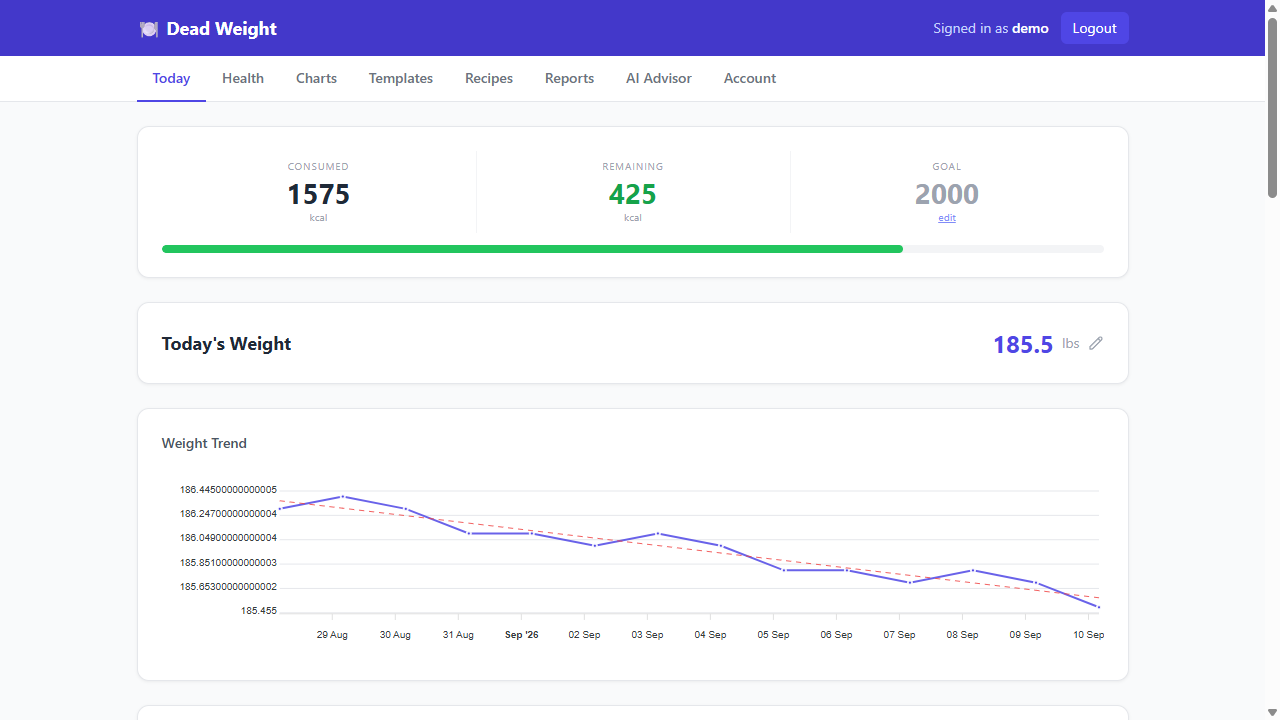
A comprehensive diet tracking application with meal logging, weight tracking, and blood pressure monitoring.
- 🍽️ Meal Management: Add and manage meal templates with calories and serving sizes
- 📝 Daily Logging: Log meals eaten and quick add items
- ⚖️ Weight Tracking: Daily weight logging with history
- ❤️ Blood Pressure: Monitor blood pressure readings with categorization
- 📊 Analytics: View daily calorie totals and calendar views
- 💾 Local Storage: All data stored locally in SQLite database
- Node.js (v16 or higher)
- npm or yarn
-
Clone and install dependencies:
git clone <repository-url>
cd diet_app
npm install
-
Install Electron dependencies:
npm install
-
Run in development mode:
npm run dev
This will start both the backend server and Electron app.
-
Build the application:
npm run dist
-
Find the built application in the
distfolder
- Development:
npm run dev(starts server + Electron) - Server only:
npm run server(for web browser access) - Production: Run the built executable from
distfolder
The app uses SQLite for local data storage:
- Database file:
diet_app.db - Automatically created on first run
- No external database setup required
diet_app/
├── main.js              # Electron main process
├── index.js             # Express server
├── public/              # Frontend files
│   ├── index.html       # Main HTML
│   ├── app.js           # Frontend JavaScript
│   └── icon.svg         # App icon
├── package.json         # Dependencies and scripts
└── README.md           # This file
npm start- Start Electron app (requires server running)npm run dev- Start both server and Electronnpm run server- Start only the backend servernpm run build- Build for distributionnpm run dist- Create distributable packages
The app can be built for:
- Windows: NSIS installer
- macOS: DMG package
- Linux: AppImage
Run npm run dist to build for your current platform.
If you get 403 errors from Ollama:
- Check the error message for the IPv6 address
- Add that address to your Cloudflare allowlist
- Restart the app
If the database becomes corrupted:
- Stop the app
- Delete
diet_app.db - Restart the app (new database will be created)
If port 3000 is in use:
- Change the port in
index.js - Update the URL in
main.js - Restart the app
MIT License - see LICENSE file for details.
0 comments
log in to comment.