

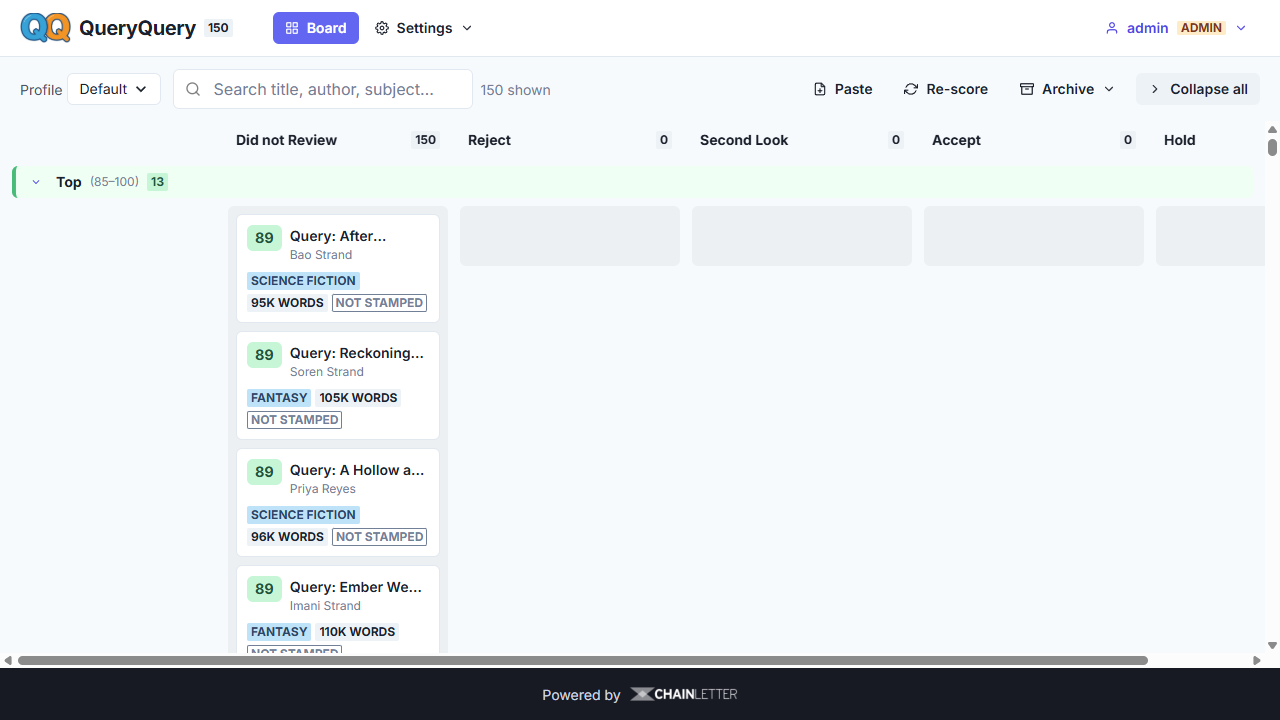
A local, helpdesk-style triage tool for the literary slush pile. Point it at a folder of
query-letter .eml files and it splits each letter into its components, scores it with a
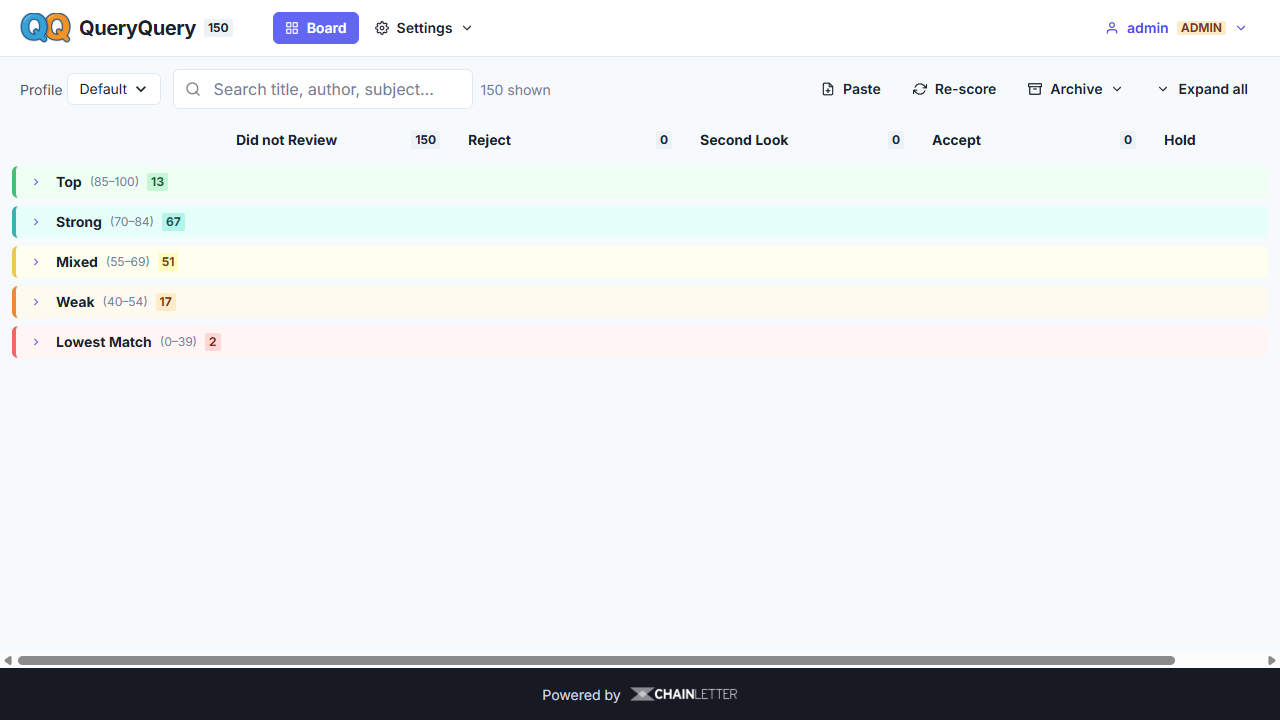
transparent heuristic engine — no AI required, and lays the results out on a Kanban board
with score-band swimlanes.
Built for agents who are skeptical of AI: every score is explainable, the rules are yours to edit, and a local LLM (via LM Studio) is strictly optional — it only adds plain-English summaries and an advisory second opinion, and it never overrides the heuristics.
Prerequisites: Node.js 22.13+ and pnpm (run corepack enable if you don't have pnpm). No native build step — the database uses Node's built-in SQLite (node:sqlite), so there's nothing to compile.
git clone <this-repo> && cd queryquery
cp .env.example .env  # sets PERSIST_DIR (where the db + input/ live); defaults to ./persist
pnpm install          # installs client + server deps
pnpm start            # builds the client, finds a free port, starts the server, opens the browser
That's the whole "download and run." On first start the terminal prints the local URL and a one-time admin username + password — copy them to sign in. (Set ADMIN_PASSWORD in .env before the first run to choose your own.)
Want sample data to explore? Either drag the bundled sample-data.zip letters onto the window (see Try the demo below), or generate a corpus:
pnpm gen-samples      # generate ~520 self-labeled sample letters (offline, no AI)
pnpm scrape           # (optional) scrape ~80 real "good" letters from thejohnfox.com
pnpm seed-input       # copy samples into PERSIST_DIR/input
Then click Scan Inbox. To use your own data, drop .eml files into <PERSIST_DIR>/input
(or drag them onto the app, or use Paste) and scan — the folder is also auto-watched.
The repo ships sample-data.zip — 120 self-labeled synthetic query letters spanning every score band
and defect type (clean, weak comps, AI-styled, AI-disclosed, off word-count, etc.). On a clean install:
pnpm install→pnpm start.- Unzip
sample-data.zipand drag the.emlfiles onto the QueryQuery window (or extract them into your input folder — the Inbox folder button shows the path — and click Scan Inbox).
That populates the board so you can explore swimlanes, the config form, AI assist, and Certify Receipt immediately. (These are generated samples, not real queries.)
For development with hot-reload:
pnpm dev # Vite dev server (5173) + Express API (4711)QueryQuery is multi-user. On first run an admin account is created with a random password printed once to
the terminal / server log — copy it from there to sign in. (Set ADMIN_PASSWORD before the first start to
choose your own.) Change it any time from the account menu (top-right). Passwords must be at least 12 characters.
- Register your own account from the sign-in screen; each user has their own board (every ticket is owned by its creator) and their own Chainletter token (the API key is per-user).
- Admins additionally manage the shared Configuration + Local LLM settings, and can list users / reset passwords (account menu → Manage users).
- The shared input folder (watcher) is owned by the admin; drag-drop uploads, Paste, and Scan Inbox assign new tickets to whoever is signed in.
Auth is HTTP Basic over the API; passwords are scrypt-hashed with a per-user salt. Run behind HTTPS (the Coolify deploy below terminates TLS) so credentials aren't sent in the clear.
Coolify's default build pack is Nixpacks; the repo ships a nixpacks.toml so it builds
with no extra config.
- Push the repo to GitHub.
- In Coolify: New Resource → Application → Public/Private Repository, pick the repo. Leave Build Pack = Nixpacks (the default).
- Port: set Ports Exposes to
3000(the app listens onPORT, whichnixpacks.tomlsets to 3000). - Persistent storage: add a volume with destination path
/app/persistso the db, config, and uploaded letters survive redeploys (PERSIST_DIR=/app/persist). To use a different path, set thePERSIST_DIRenv var to match. - Deploy. Health check is
GET /api/health.
nixpacks.toml builds the client (pnpm run build) and runs node server/index.js — no native build deps,
since the database is Node's built-in node:sqlite. In a hosted container there's no auto-open browser, and the
app binds 0.0.0.0. A local LM Studio at 127.0.0.1:1234 isn't reachable from a remote container — the LLM
features simply stay disabled there (heuristics and Chainletter still work). Add letters via drag-and-drop
upload, the Paste tab, or the watched <PERSIST_DIR>/input folder.
A
Dockerfileis also provided as an alternative (select Build Pack = Dockerfile in Coolify, ordocker build). It uses/dataas the volume path. If you only deploy via Nixpacks you can delete it.
Everything QueryQuery persists lives under PERSIST_DIR (set in .env, default ./persist):
the SQLite database (queryquery.db), the config file, and the input/ folder for .eml files.
Point PERSIST_DIR at any path (relative to the project root, or absolute). Upgrading from an older
layout? Existing data/, config/, and input/ are migrated into persist/ automatically on first run.
- Ingest —
.emlfiles are parsed (mailparser), signatures/quotes stripped (email-reply-parser), and the body split into canonical components: salutation/personalization, hook, pitch (character/goal/conflict/stakes), comps, metadata (genre + word count), bio, closing. - Score — a weighted 0–100 heuristic score with a full per-metric breakdown and flags (e.g. word count out of range, no comps, reveals the ending, not personalized).
- Triage — cards land on a board: swimlane rows = score bands, columns = your states (Did not Review · Reject · Second Look · Accept · Hold). Drag a card horizontally to set status.
- Configure — the Configuration tab is the "what I'm looking for" form: wanted genres, authors/comp titles/keywords, metric weight sliders, per-genre word-count bands, and the swimlane bands. Save, then Re-score all.
- AI signals — a separate, advisory AI-suspicion sub-score and an AI-disclosure flag, computed with pure text statistics (no AI). Surfaced as signals for review, never auto-rejection.
- Optional LLM — under Local LLM, connect LM Studio to enable per-card summaries and an advisory triage suggestion. Everything stays on your machine.
All scoring lives in <PERSIST_DIR>/queryquery.config.json (created on first run, editable in the app).
Weights are renormalized to 100%. Changing config marks existing tickets "stale" until you re-score.
| Command | What it does |
|---|---|
pnpm start |
Build client, start server on a free port, open browser |
pnpm dev |
Dev mode (Vite + Express with /api proxy) |
pnpm gen-samples [count] |
Deterministic, self-labeled sample corpus (default 520) |
pnpm scrape |
Scrape ~80 real query letters into samples/ |
pnpm gen-llm-samples |
Optional: generate naturalistic samples via LM Studio |
pnpm seed-input [count] |
Copy samples into <PERSIST_DIR>/input |
pnpm test |
Unit tests for the heuristic engine |
Optional. Blockchain-timestamp a hash of an author's original letter so they can prove their idea was
submitted to and read by a human — the letter's contents are never uploaded, only an IPFS CID + basic
metadata. Configure it under the Chainletter tab — paste your token URL
(https://{server}/jwt/{token}), Test, then use Certify Receipt on a ticket's Receipt tab.
QueryQuery reads the tenant, folder/group and webhook endpoint from that one URL (no separate secret needed),
and generates a copy-paste reply to the author with a verification link.
The CID is computed locally and matches what IPFS/Pinata produce (verified in test/chainletter.test.js).
import fs from 'node:fs';
import { resolveCredentials, certifyBytes } from './server/services/chainletter.js';

const cl = await resolveCredentials({ tokenUrl: 'https://server.clstamp.com/jwt/yourtoken' });
const { hash, stamp, verifyUrl } = await certifyBytes(cl, {
  buffer: fs.readFileSync('query.eml'),
  name: 'query.eml',
  mimetype: 'message/rfc822',
});
// hash -> Qm… (CIDv0) stamp -> { success, message, files_stamped }shared/ constants, default config, helpers (domain knowledge)
server/ Express API, SQLite, ingest pipeline, heuristic services, LM Studio proxy
client/ React + Chakra UI (board, config form, LLM panel)
scripts/ sample-data tooling (scrape / generate / seed)
No data ever leaves your machine.
0 comments
log in to comment.